
Transferring Funds Between Exchanges and Wallets
Once you have connected exchanges and cash accounts, you can move funds between them directly from your Treasury.
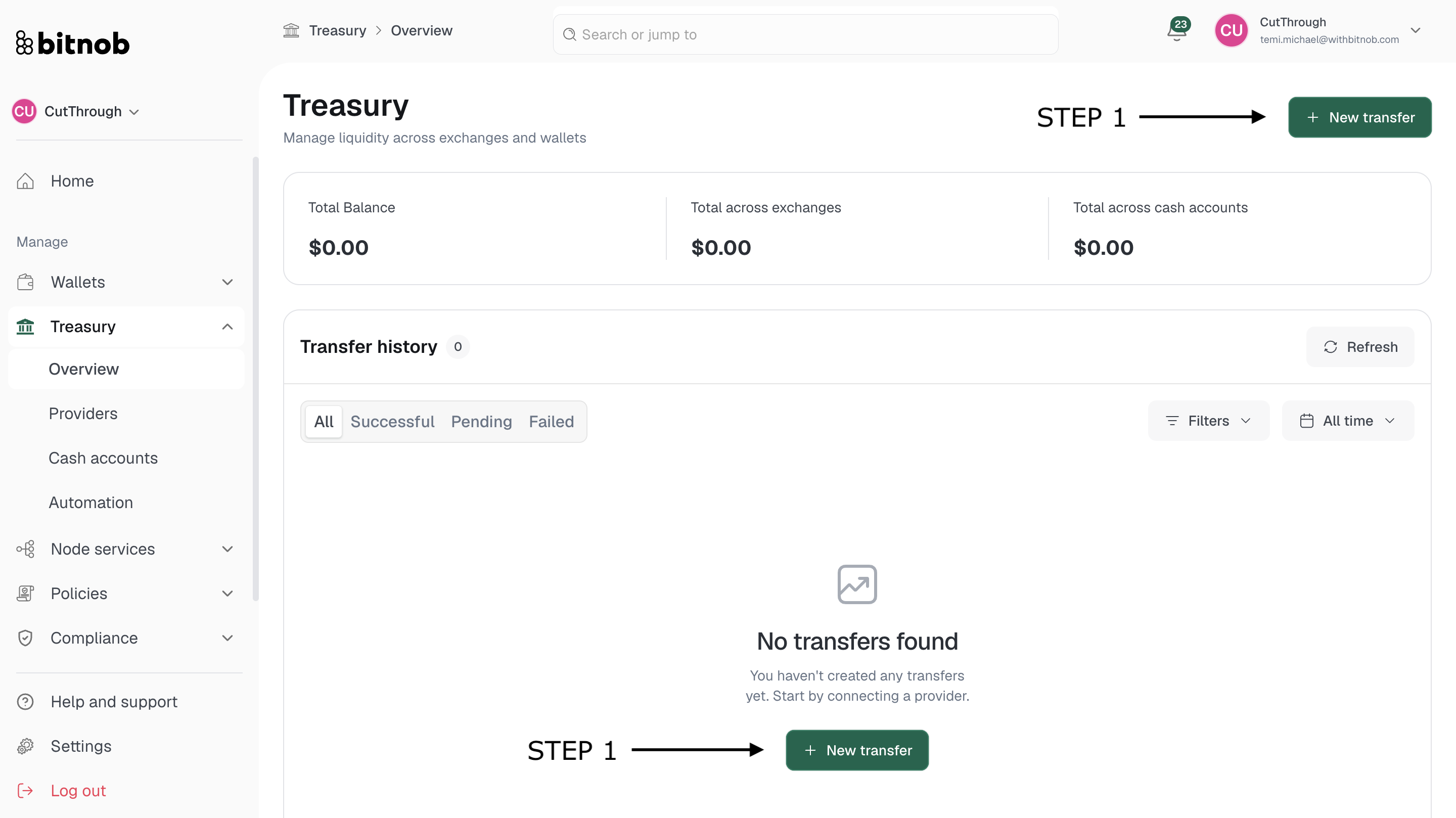
Starting a transfer
Navigate to Treasury > Overview from the left sidebar
Click + New transfer in the top right corner
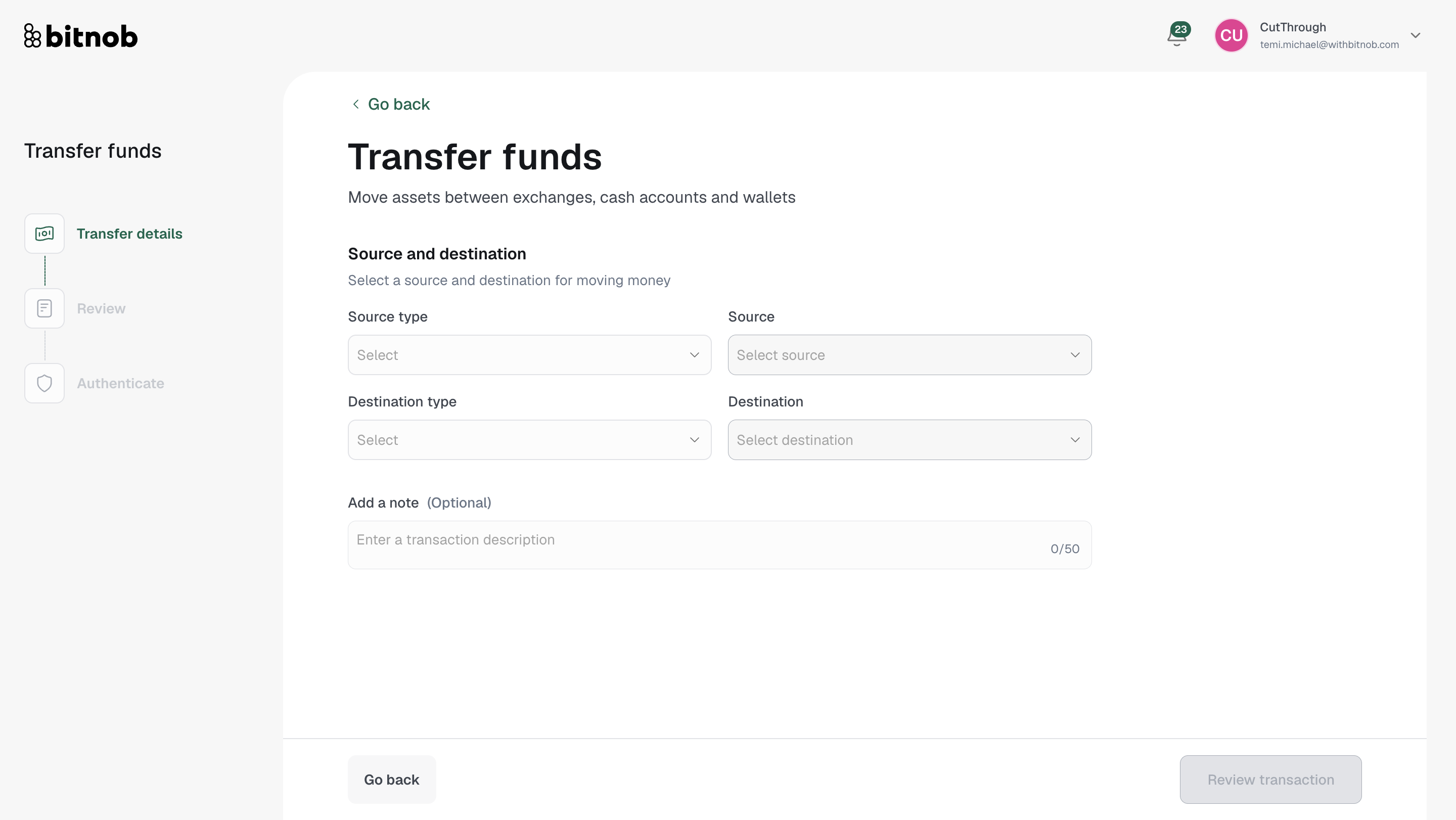
Complete the transfer form — select the source account, destination account, asset, and amount [Screenshot]
Review the transfer details
Confirm to initiate the transfer
Tracking your transfers
All transfers are logged in the Transfer history table on the Overview page. Each entry shows the transfer status — Successful, Pending, or Failed — along with the amount, source, destination, and date. Use the Filters and date range drop-downs to search through your history.
Tip: If a transfer shows as Failed, check that the source account has sufficient balance and that your exchange API credentials are still active and have the correct permissions.
Related articles