
How to Connect an Exchange (Providers)
Connecting an exchange lets Bitnob Enterprise sync your balances and initiate transfers directly — without sharing your password. Connections are made using API credentials generated from your exchange account.
Supported exchanges
Bitnob Enterprise currently supports the following exchanges:
Kraken — Requires API Key and Private Key
Binance — Requires API Key and API Secret
OKX — Requires API Key, API Secret, and API Passphrase
How your credentials are protected
Your API credentials are encrypted using AWS Key Management Service (KMS) with envelope encryption. Each credential set is encrypted with a unique data key, which is itself encrypted by a master key that never leaves AWS KMS. Credentials are stored at rest using AES-256-GCM encryption, meaning they cannot be decrypted even with full database access.
Steps To Connect Exchange
Navigate to Treasury > Providers from the left sidebar
Click Connect Exchange
Review the connection overview and what you'll need, then click Connect Exchange
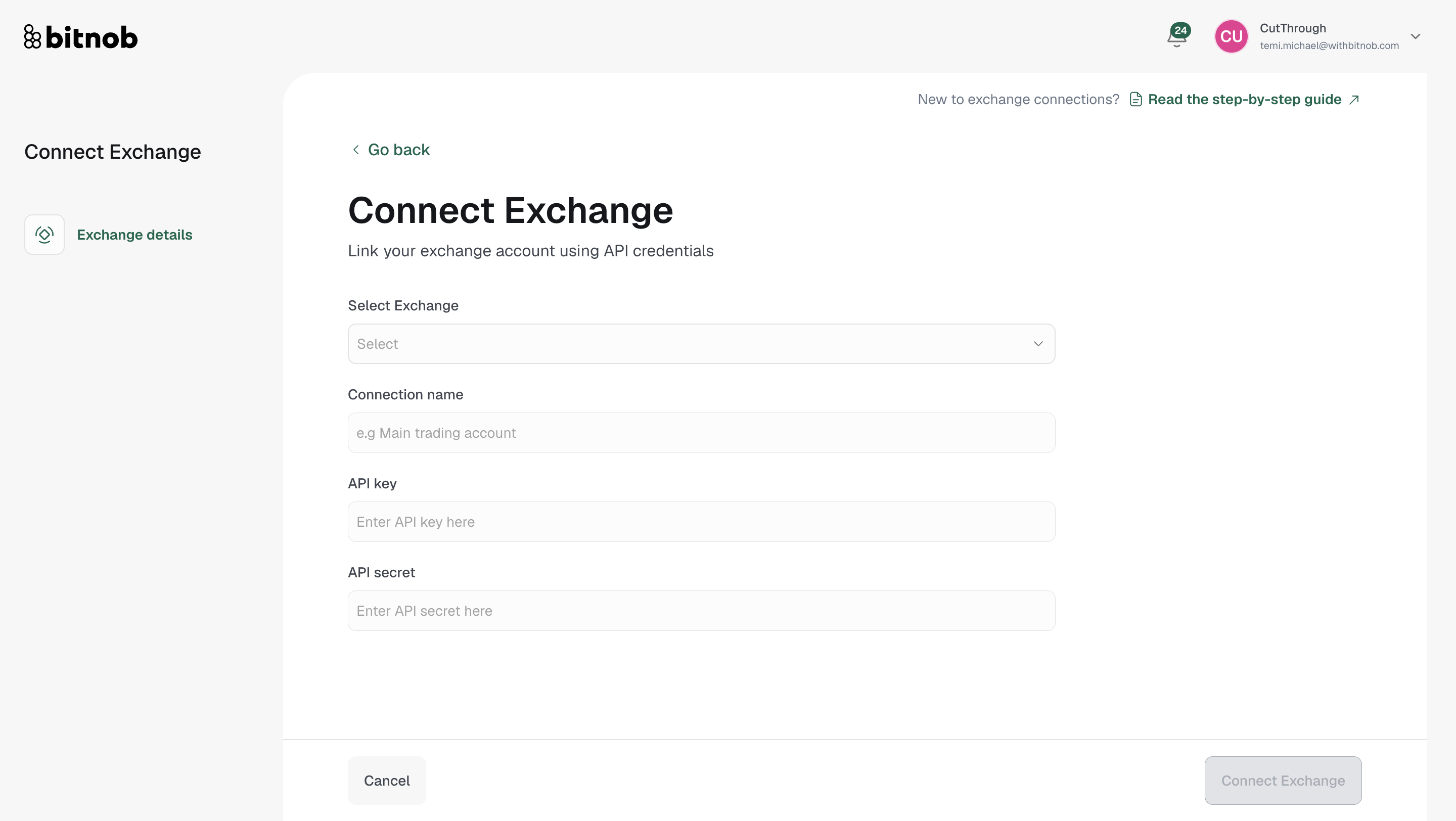
On the connection form, select your exchange from the dropdown
Enter a connection name (e.g. "Main trading account")
Enter your API credentials — the required fields will update based on the exchange selected:
Kraken: API Key + Private Key
Binance: API Key + API Secret
OKX: API Key + API Secret + API Passphrase
Click Connect Exchange to complete
Tip: You'll find your API credentials under Settings → API Keys in your exchange dashboard. Some exchanges also require you to set specific permissions (read and transfer) when generating the key.
Related articles