
How to Create a Vault
Vaults are the foundation of your wallet infrastructure on Bitnob Enterprise. Create a vault first before adding wallets to it.
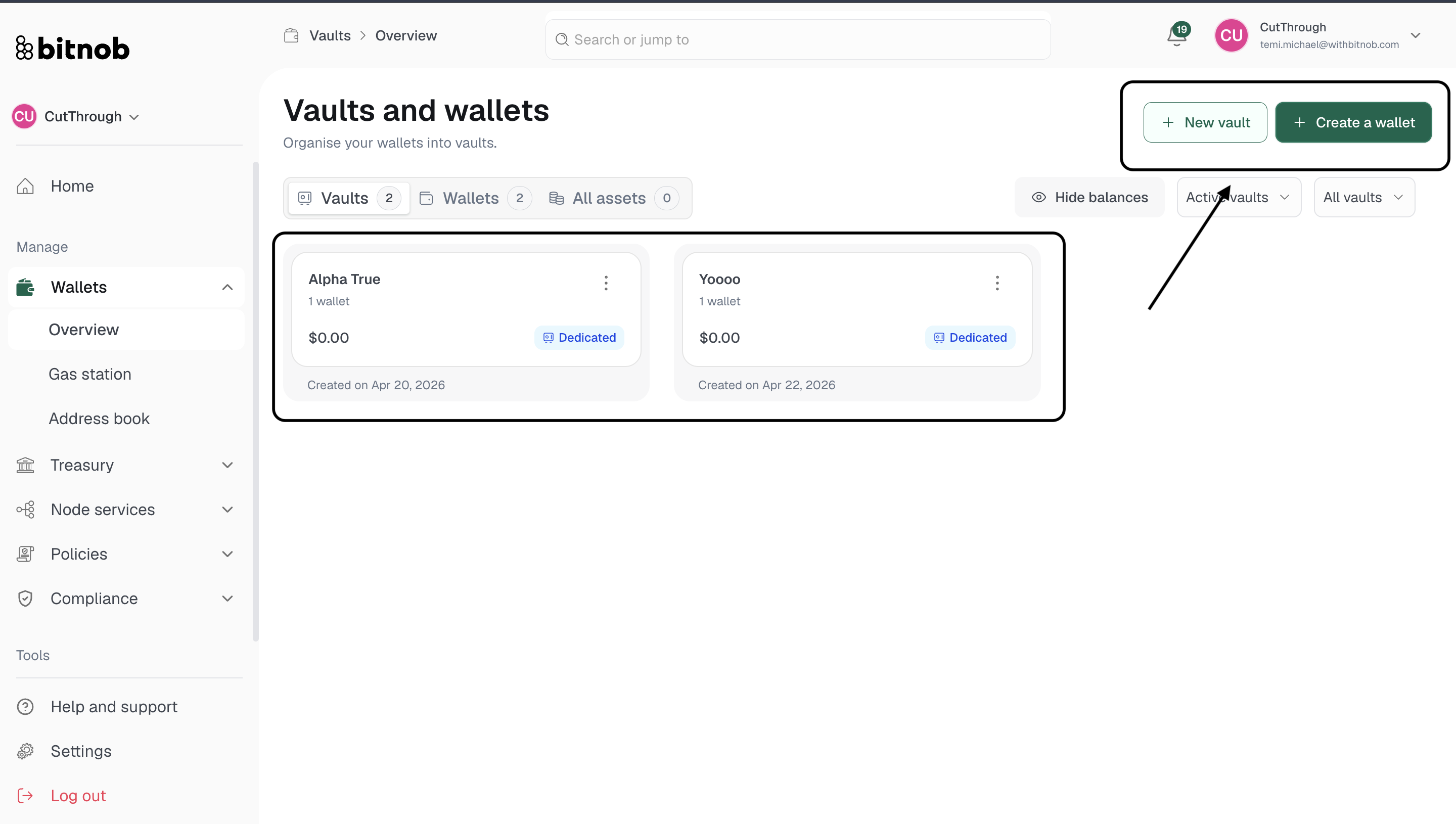
Navigate to Wallets > Overview from the left sidebar
Click + New vault in the top right corner.
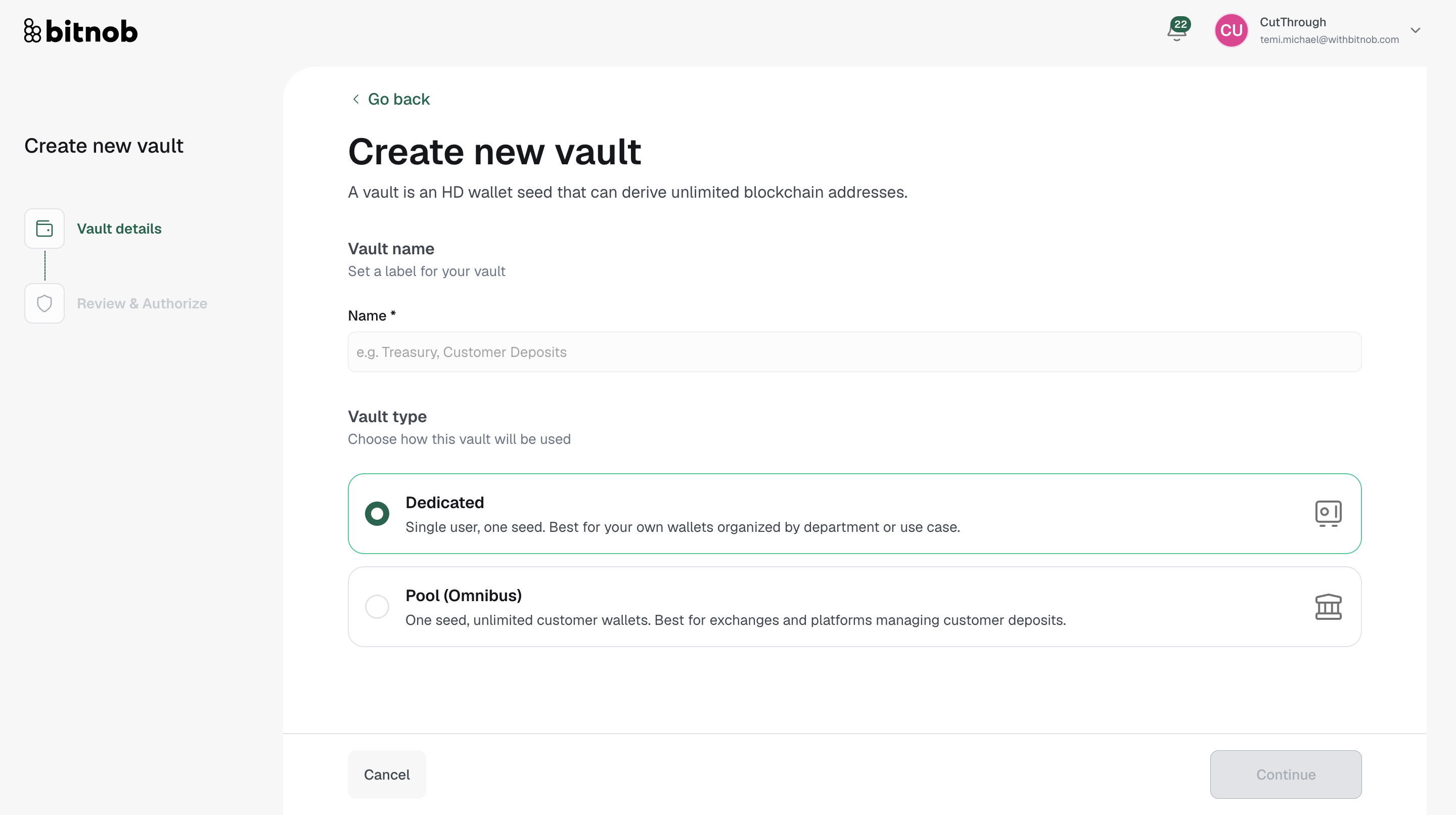
Enter a Vault name — this is the label that will identify this vault across the platform
Select your Vault type:
Choose Dedicated if this vault is for your own internal wallets organized by department or use case
Choose Pool (Omnibus) if this vault will hold unlimited customer wallets for an exchange or platform managing customer deposits
Click Continue
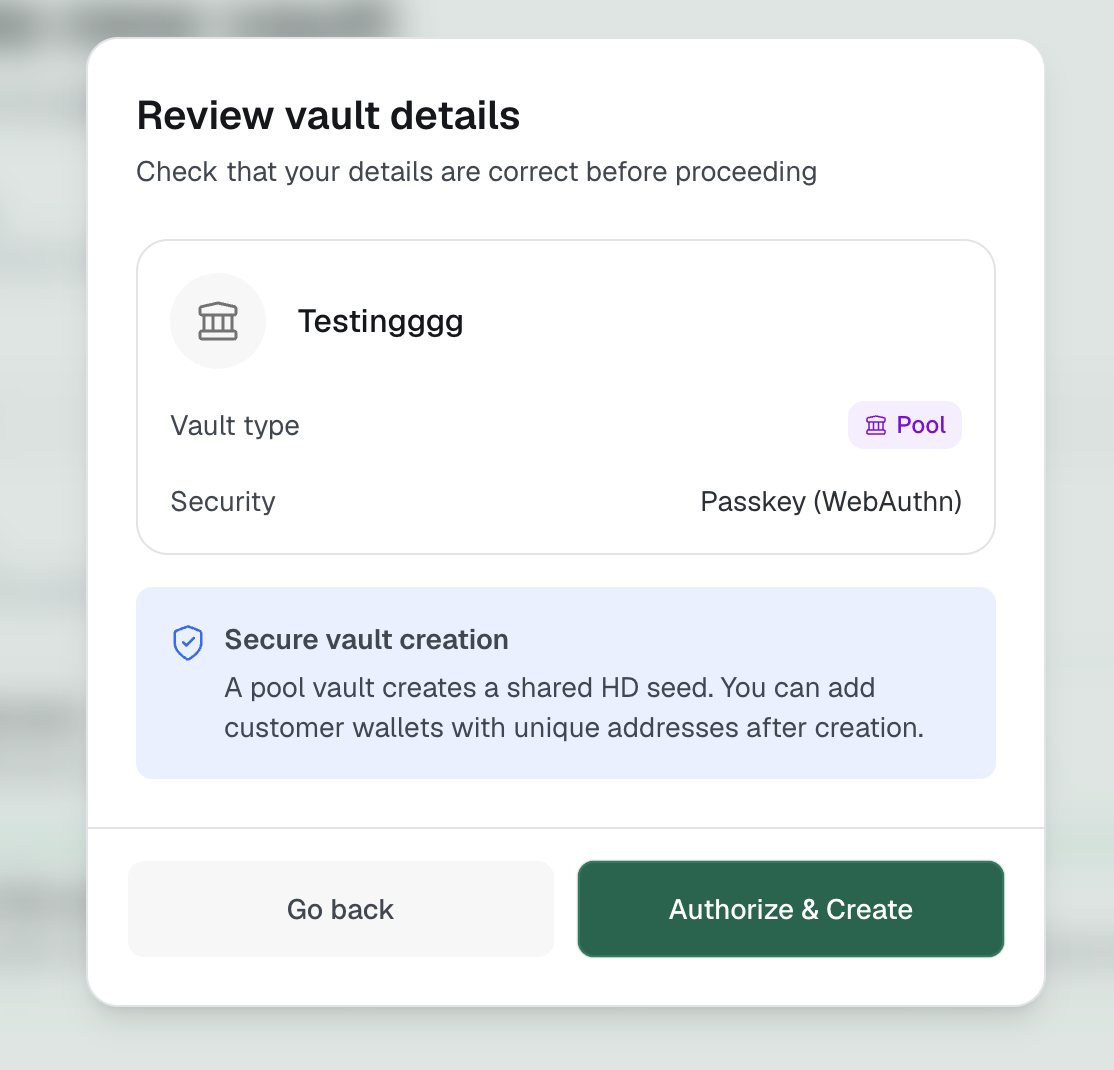
Review your vault details on the summary screen
Authorize the creation to complete setup
Note: Your vault type cannot be changed after creation. Make sure you select the right type for your intended use case before proceeding.
Related Articles