
How to Create a Wallet
Wallets are individual blockchain addresses that live inside a vault. You can create as many wallets as you need across any supported asset.
Steps
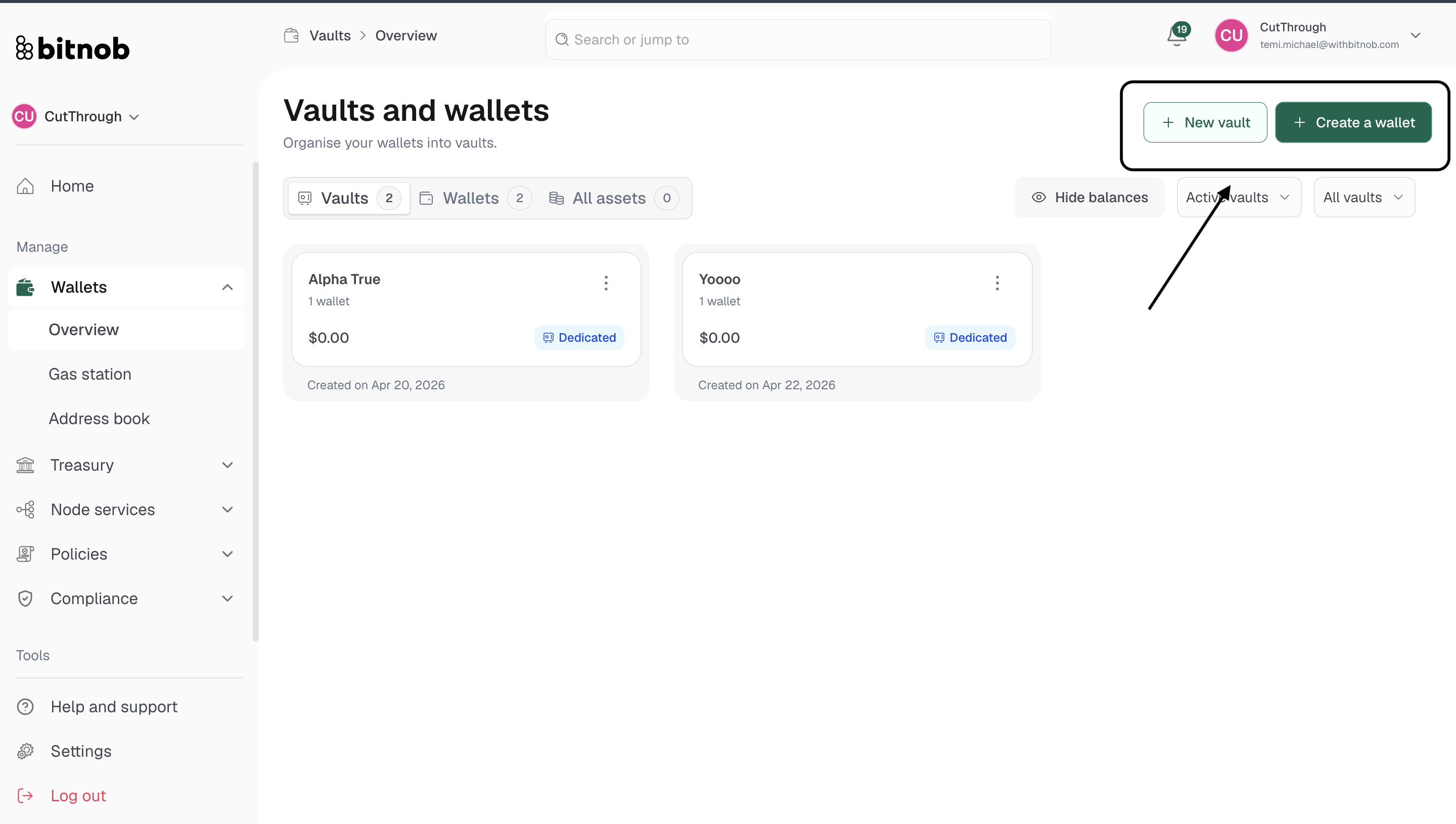
Navigate to Wallets > Overview from the left sidebar
Click + Create a wallet in the top right corner
Under Add to vault, select an existing vault to assign this wallet to, or select Create new vault (dedicated) to automatically create a new dedicated vault alongside this wallet
Enter a Wallet name which is the label that will identify this wallet
Select the asset type you want this wallet to hold:
Bitcoin (BTC)
Ethereum (ETH)
Tether (USDT)
USD Coin (USDC)
Solana (SOL)
Tron (TRX)
Polygon (MATIC)
Under Advanced options, configure the following if needed:
Network — Choose Mainnet for real funds or Testnet for test funds
Address format (Bitcoin only) — Select from:
Native SegWit (bc1q...) — Lowest fees, modern standard. Recommended
Wrapped SegWit (3...) — Works with older systems
Legacy (1...) — Original format, higher fees, maximum compatibility
Taproot (bc1p...) — Latest upgrade with enhanced privacy and smart contract support
Click Continue
Review your wallet details
Complete authentication to finalize the wallet
Note: Advanced options are auto-configured based on your asset selection. You only need to adjust them if you have specific requirements.
Related Articles