
How to Create a Node Subscription
Subscriptions let you monitor a specific blockchain address and receive real-time notifications via webhook whenever a defined event occurs on that address. Instead of polling the blockchain repeatedly, your application gets notified the moment something happens.
Steps
Navigate to Node Services > Subscriptions from the left sidebar
Click + Create subscription in the top right corner
Select a chain — Choose the blockchain you want to monitor:
Ethereum, Bitcoin, Solana, Tron, Base, Arbitrum, or Polygon
Select a network — Choose Mainnet or Testnet
Select an event type — Choose the type of on-chain event you want to listen for.
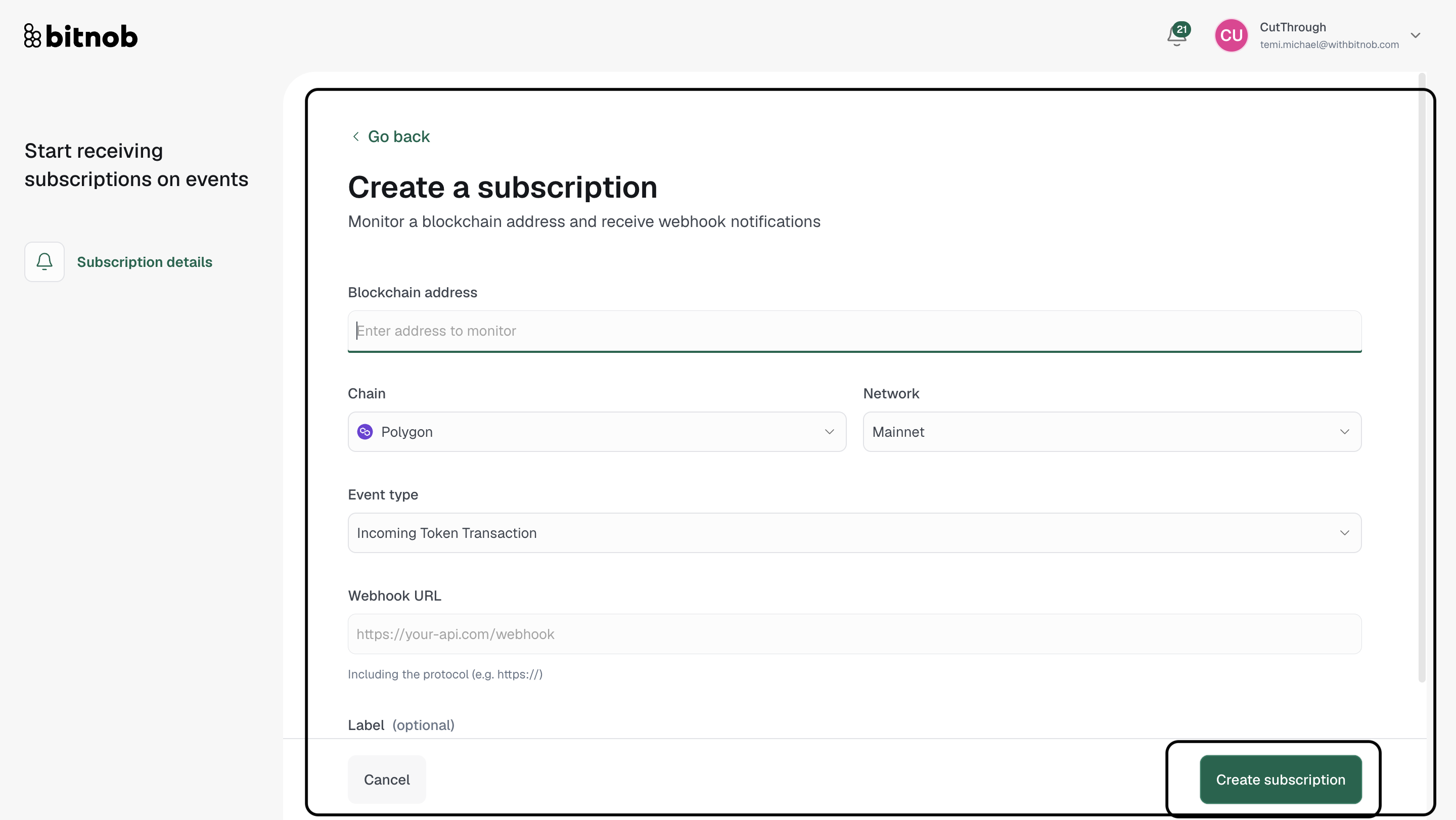
Enter your webhook URL — This is the endpoint in your application that will receive the notifications. Make sure to include the protocol (e.g. https://)
Optionally enter a label to help identify this subscription
Click Create subscription
Once created, your subscription will appear in the Subscriptions list and will begin delivering webhook notifications to your URL whenever the specified event is detected on the monitored address.
Tip: Make sure your webhook URL is publicly accessible and able to receive POST requests. Test your endpoint before creating the subscription to avoid missed notifications.
Related articles