
Navigating the Enterprise Dashboard
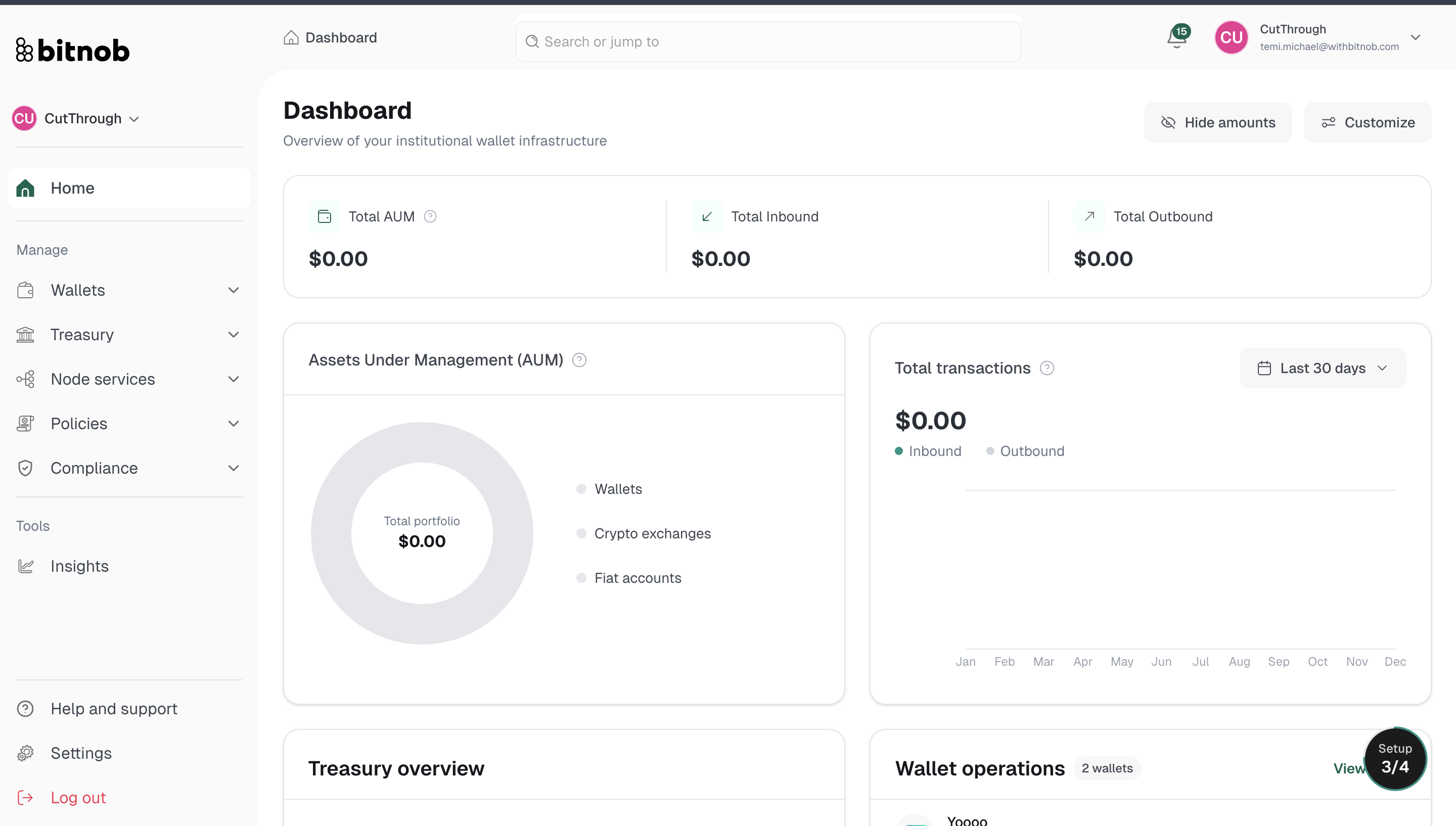
When you enter Bitnob Enterprise, you land on the main dashboard, your central view of all activity across the platform. Here is a breakdown of what you will find and how to get around.
Top Bar
Running across the top of the platform, the top bar includes:
Breadcrumb navigation — Shows your current location within the platform (e.g. Treasury > Overview)
Search bar — Use "Search or jump to" to quickly navigate to any section
Notifications bell — Alerts for activity across your platform
Workspace switcher — Displays your active organization name and email, with a dropdown to switch between workspaces if you manage multiple
Left Sidebar Navigation
The sidebar is your primary navigation. It is organized into the following sections:
Home
Your landing page with a summary overview of activity across the platform.
Manage
The core of the Enterprise platform. This section contains:
Wallets — Create and manage vaults (Duplicated and Pool), and view wallet balances across chains
Treasury — Manage liquidity with four subsections:
Overview — Total balance, total across exchanges, and total across cash accounts, plus full transfer history
Providers — Connect and manage your exchange integrations
Cash Accounts — View and manage cash account balances
Automation — Set up rules for automated fund movement
Node Services — Access RPC endpoints and manage on-chain event subscriptions
RPC Endpoints- Manage blockchain read and write access across supported networks
Subscriptions - Monitor blockchain addresses and receive real-time event notifications via webhooks
Policies — Create and manage transaction control rules across the organization
Overview - View and manage all your policies and rules
Approvals - Review and take action on transaction requests that require manual approval
Compliance — Screen addresses, manage held deposits, and configure risk profiles
Overview - A summary of compliance activity across the platform
Screenings - Run and review wallet address checks
Held Deposits - Approve or reject flagged deposits
Settings - Connect your compliance provider and configure risk profiles
Settings
Manage platform-level settings including compliance provider connections and general configuration.
Log Out
Ends your active session securely.
Tip: The sidebar remains accessible from every section of the platform. Use the breadcrumb trail at the top to track where you are as you navigate deeper into each feature.
Related Articles