
How to Send Money
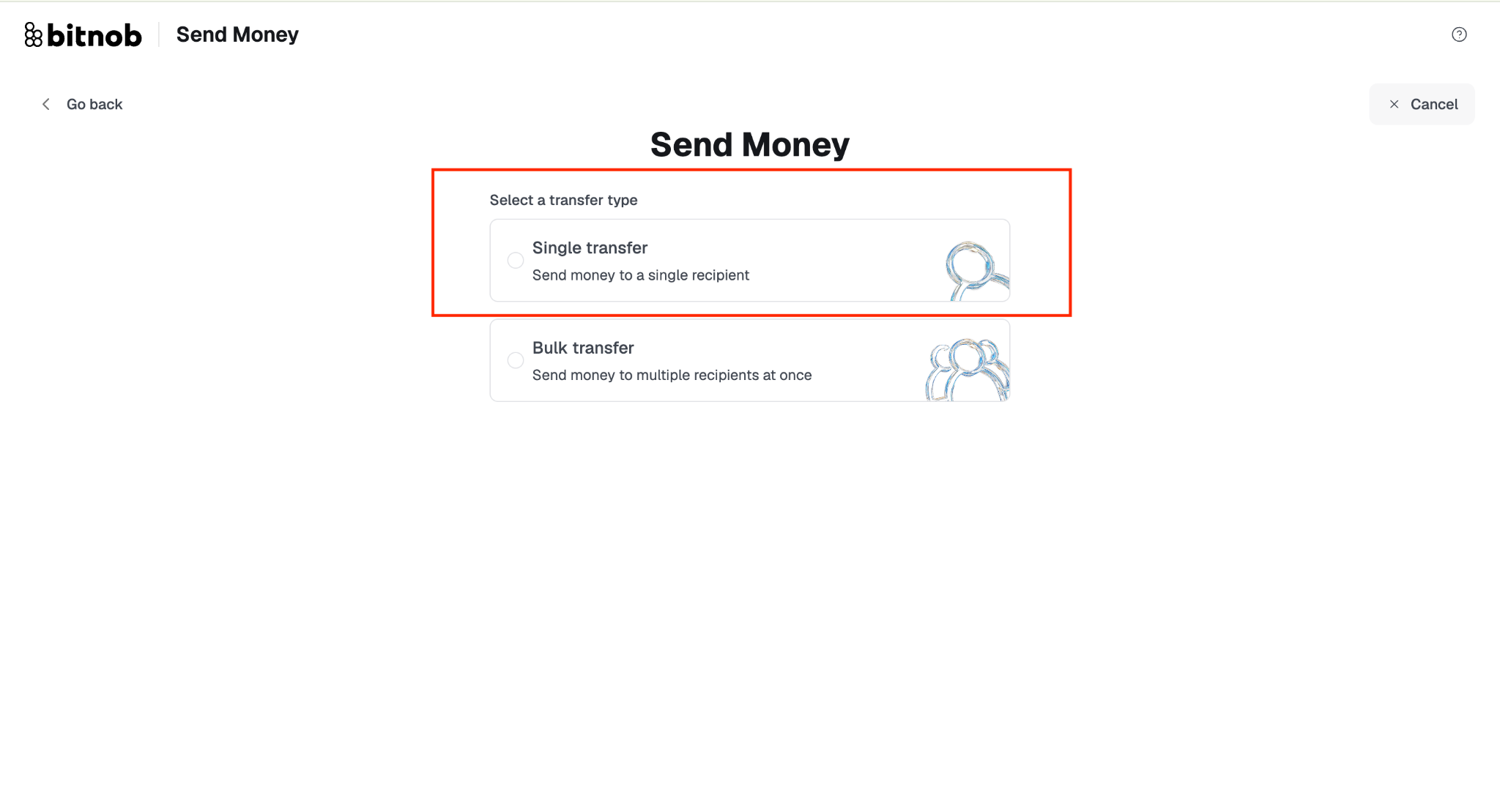
Click Send from Payments in the sidebar, or from Quick Actions on the Home screen. You will choose between Single Transfer for one recipient or Bulk Transfer for multiple recipients.
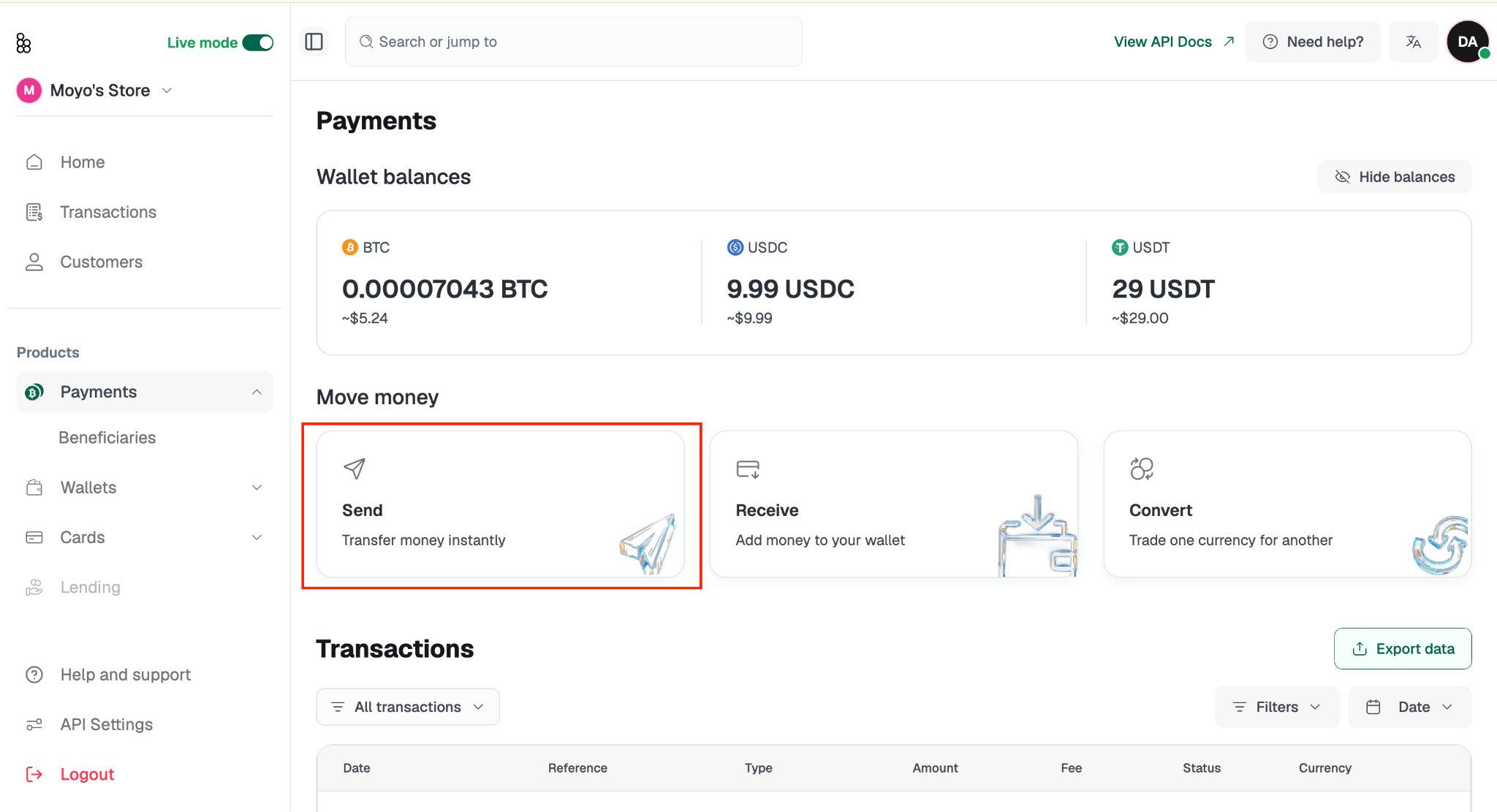
Sending to a Single Recipient
Click Send from Payments in the sidebar, or from Quick Actions on the Home screen.
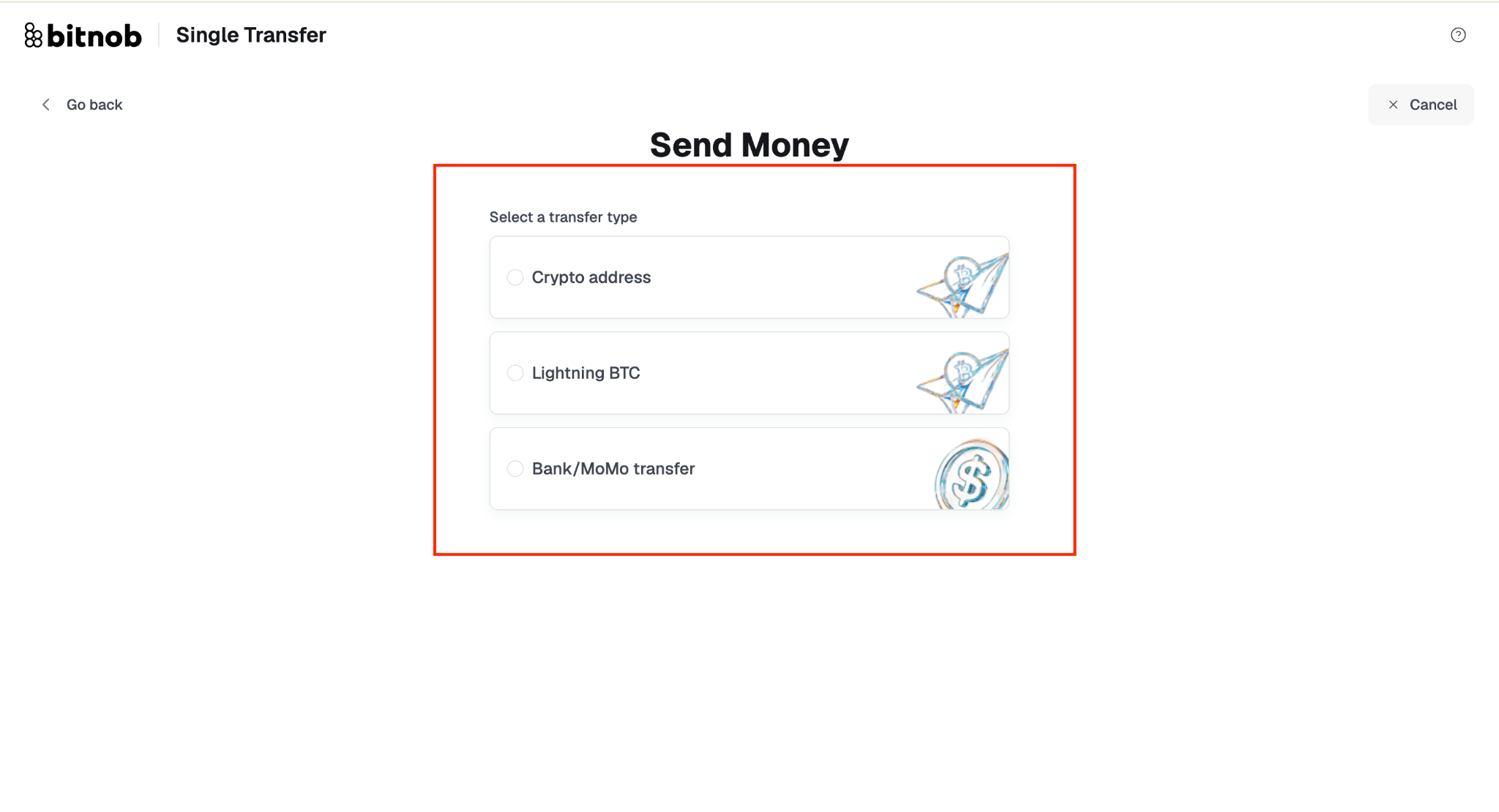
Select Single Transfer and choose your destination type. The available options are:
Crypto address: Sends funds to any external crypto wallet.
Lightning BTC: Sends Bitcoin instantly via the Lightning Network using a Lightning invoice.
Bank/MoMo transfer: Sends funds to a bank account or mobile money wallet.
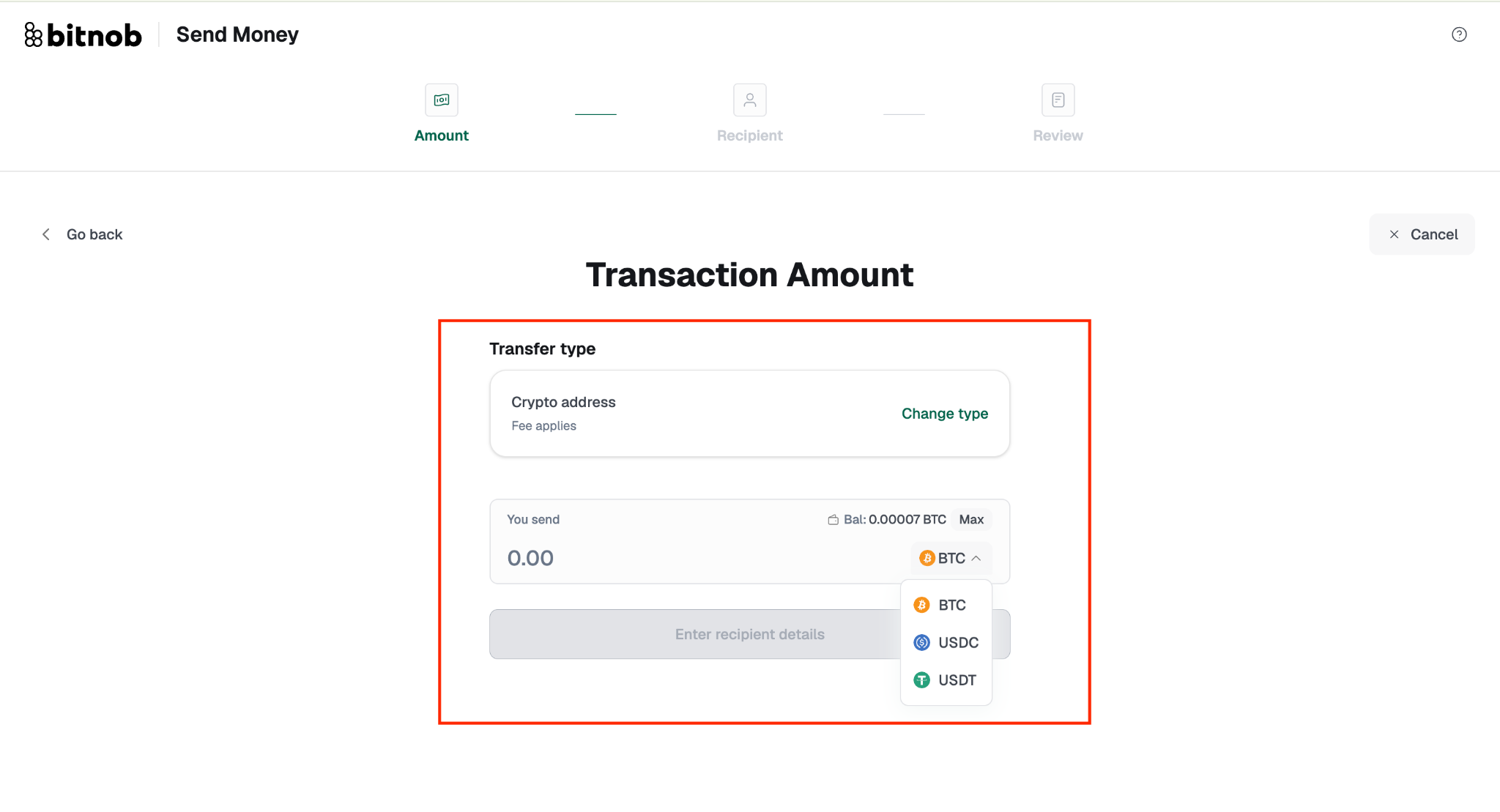
To a crypto address:
Enter the amount and source currency.
On the Recipient step, select the blockchain Network from the dropdown, then enter the recipient's wallet address.
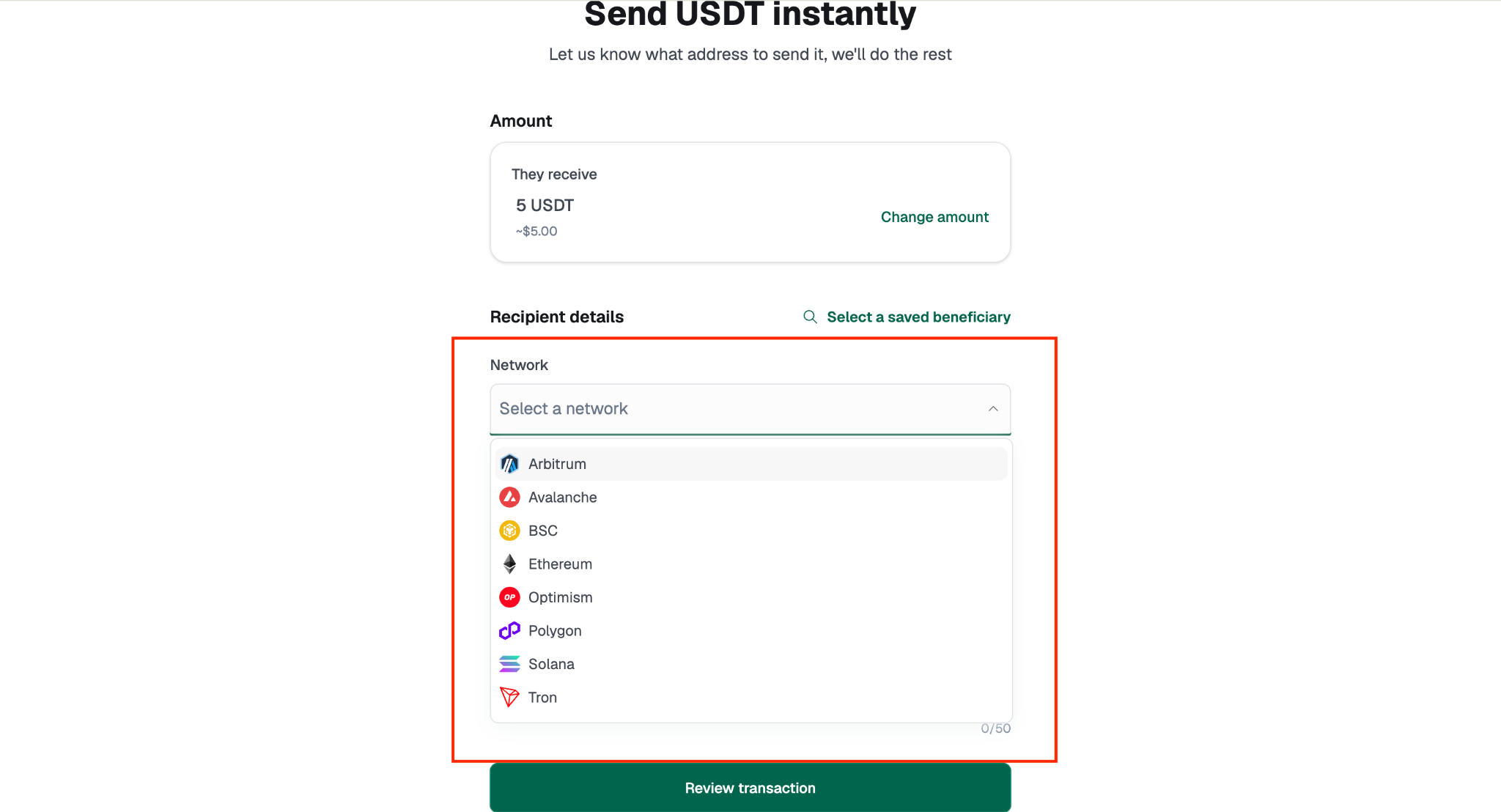
N.B: If the address you enter does not match the selected network, you will see an error that reads: The address is not valid for the selected network. Double-check both the address and the network before moving on.
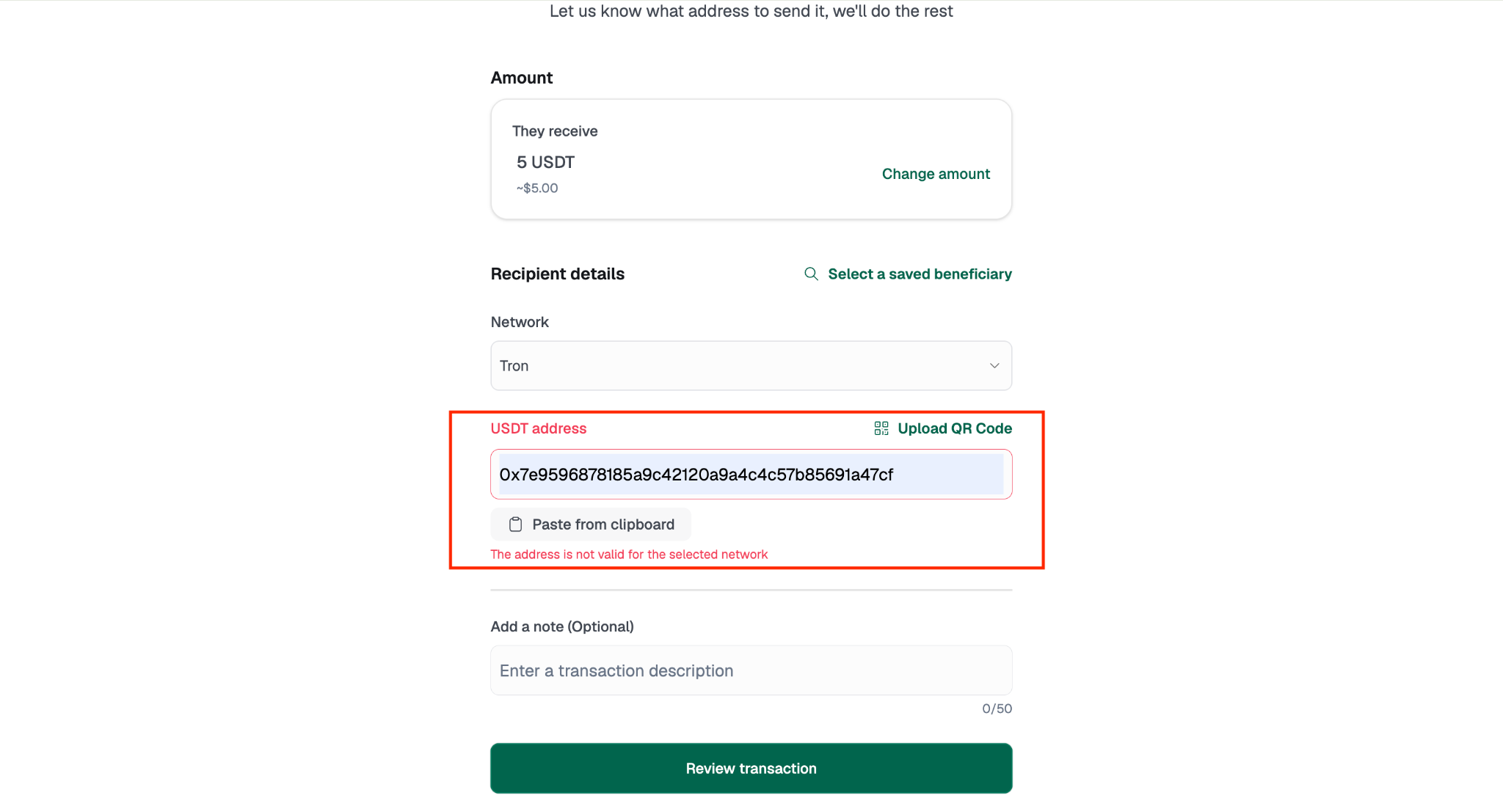
You can type it in manually, upload a QR code, or use the Paste from clipboard shortcut. If you've paid this person before, use Select a saved beneficiary at the top of the screen to pull their details in automatically.
Review the full transaction summary, including recipient address, currency, amount sent, amount received, chain, network, transfer fee, total deducted, and description if added.
Click Proceed to complete the transaction.
N.B: You will be asked to verify your identity before the transaction goes through. If you have a passkey registered, your device will prompt you to authenticate using Face ID, fingerprint, or screen lock. If you have not yet set up a passkey or 2FA, a prompt will appear asking you to do so before you can send. You can set this up under Privacy and Security in the Settings sidebar.
Once the transaction is processed, you'll have the option to Go to the dashboard or Make another transaction.
There's a fee for crypto address transfers.
Important: Crypto transactions can't be reversed once confirmed, and we can't recover funds sent to a wrong address. Before you confirm, double-check every character.
To a Lightning BTC address:
Lightning BTC sends Bitcoin instantly via the Lightning Network. The flow is two steps: Invoice then Review.
On the Invoice step, paste the Lightning invoice into the text field, upload it via QR code, or use the Paste from clipboard shortcut.
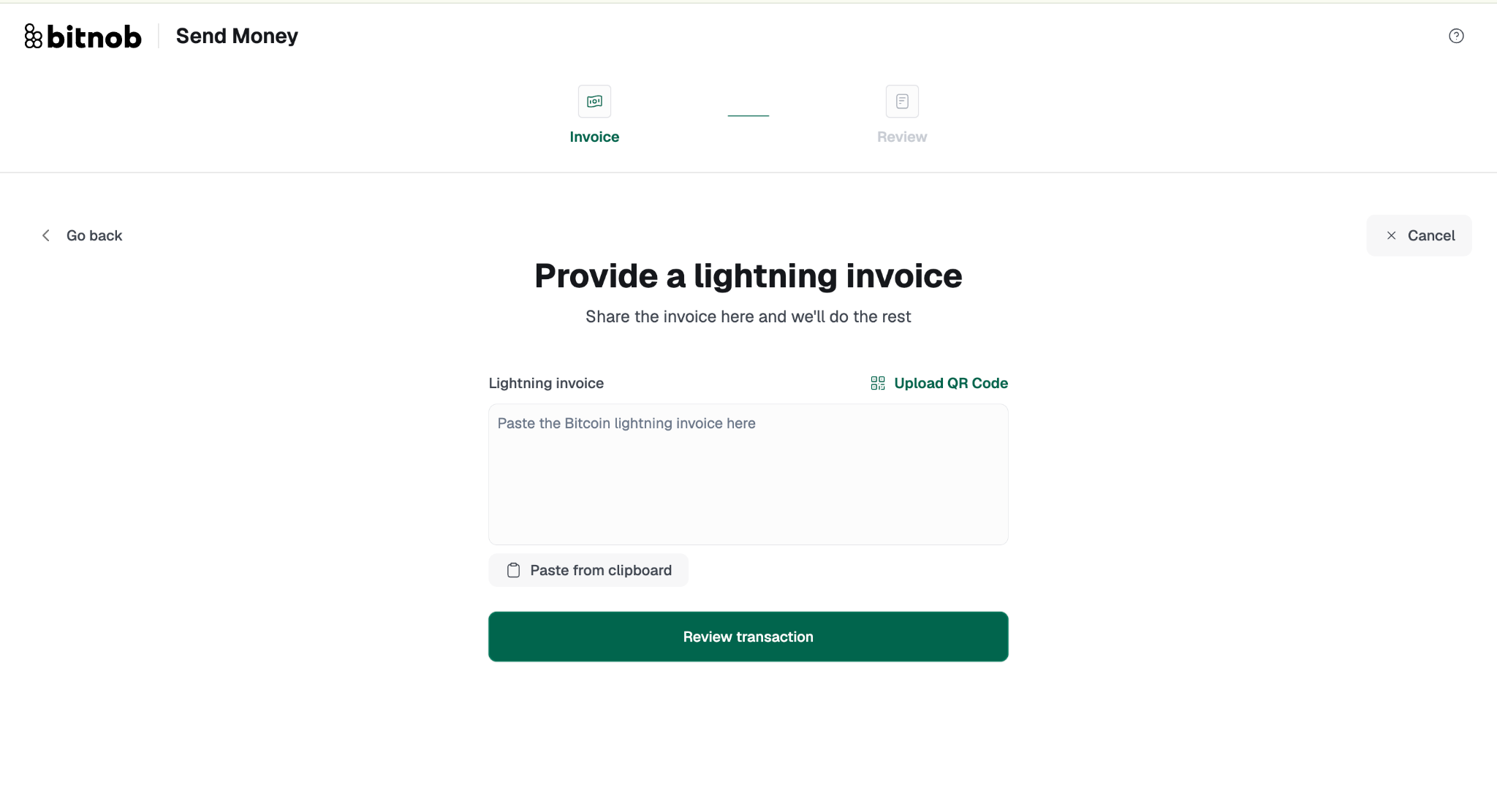
Click Review transaction to proceed.
Note : There is a 20sats fee for every transaction carried out via a Lightning Invoice.Confirm the details on the Review screen and proceed to complete the transaction.
To a Bank Account or Mobile Money Wallet:
Enter the amount and source currency.
You'll see a conversion preview showing exactly what the recipient will receive in their local currency: for example, the NGN equivalent of the USDT you're sending. Confirm the rate looks right before moving on.
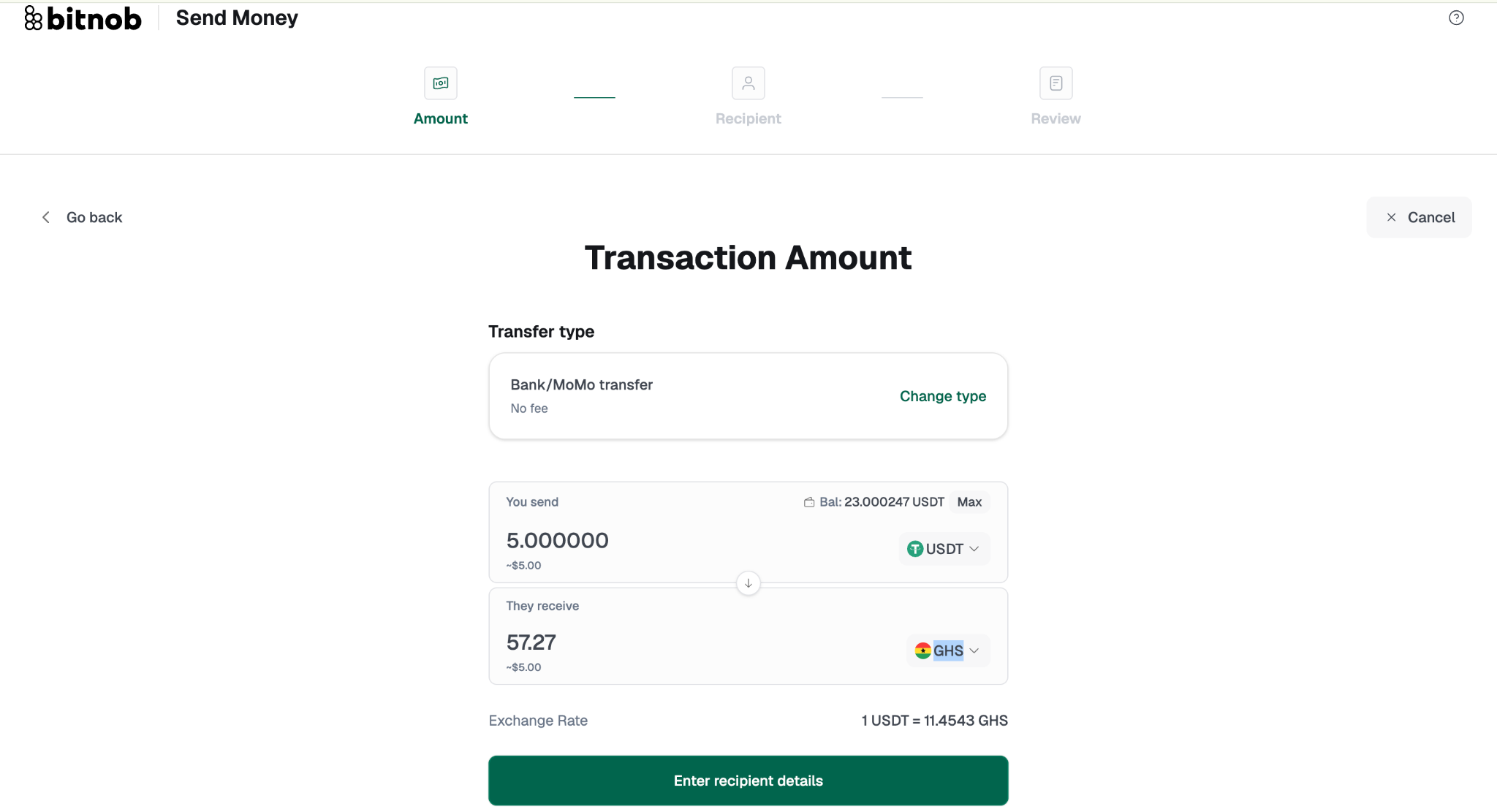
Enter the recipient's details.
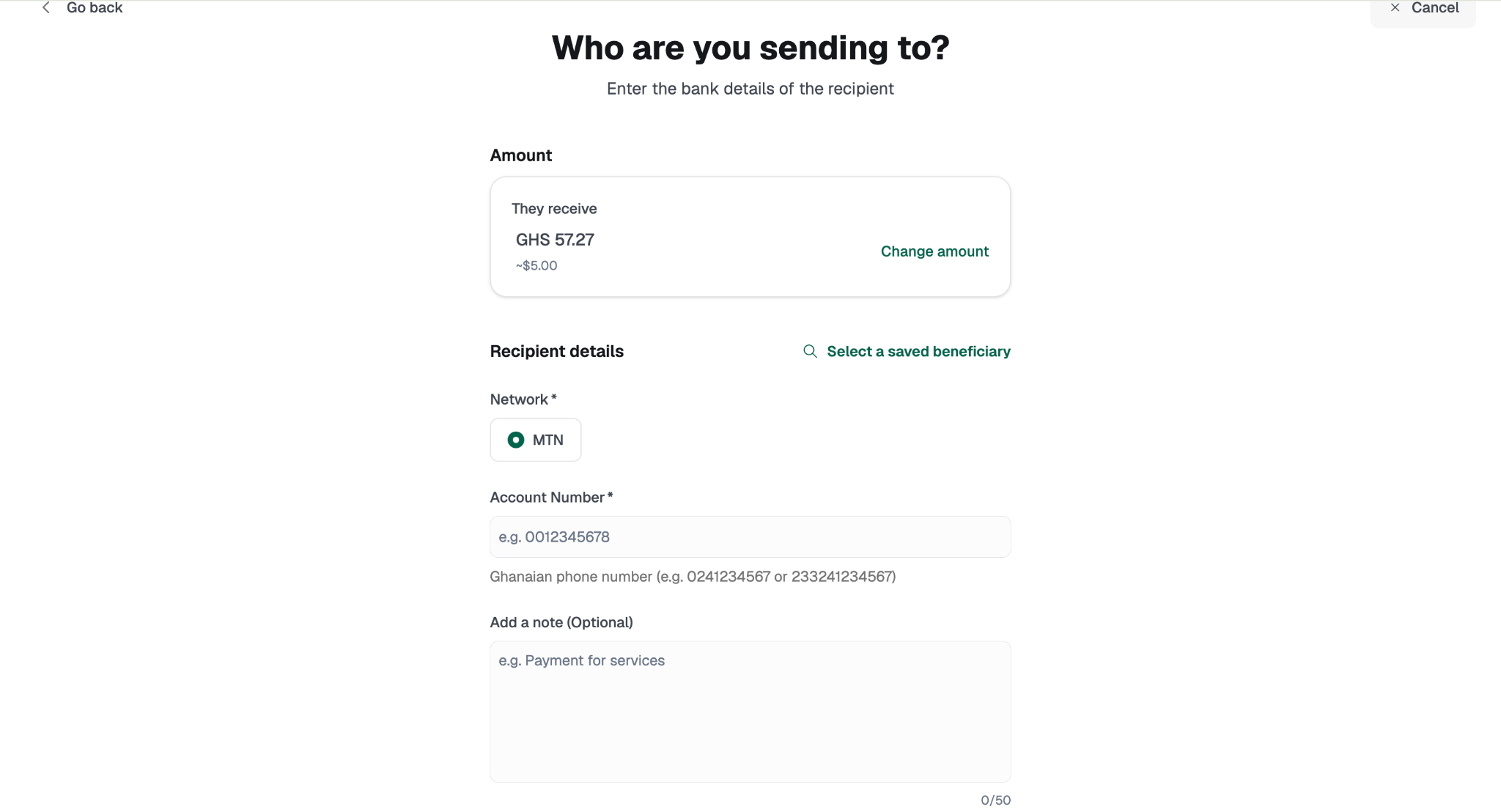
Review and confirm.
All destination types conclude with a Review screen. Click Proceed to finalise. Once processed, you'll see the option to Go to the dashboard or Make another transaction.
The rest of the Payments section remains as documented.
All three destination types follow the same three-step flow: Amount → Recipient → Review.
Related articles: