
Virtual Accounts
Virtual accounts are NGN bank accounts linked to your Bitnob wallet — giving you a dedicated account number you can share to receive naira payments directly.
Each virtual account you create is saved automatically and available for future transactions. You can create accounts for individuals or businesses depending on your use case.
Account types
There are two account types available when creating a virtual account:
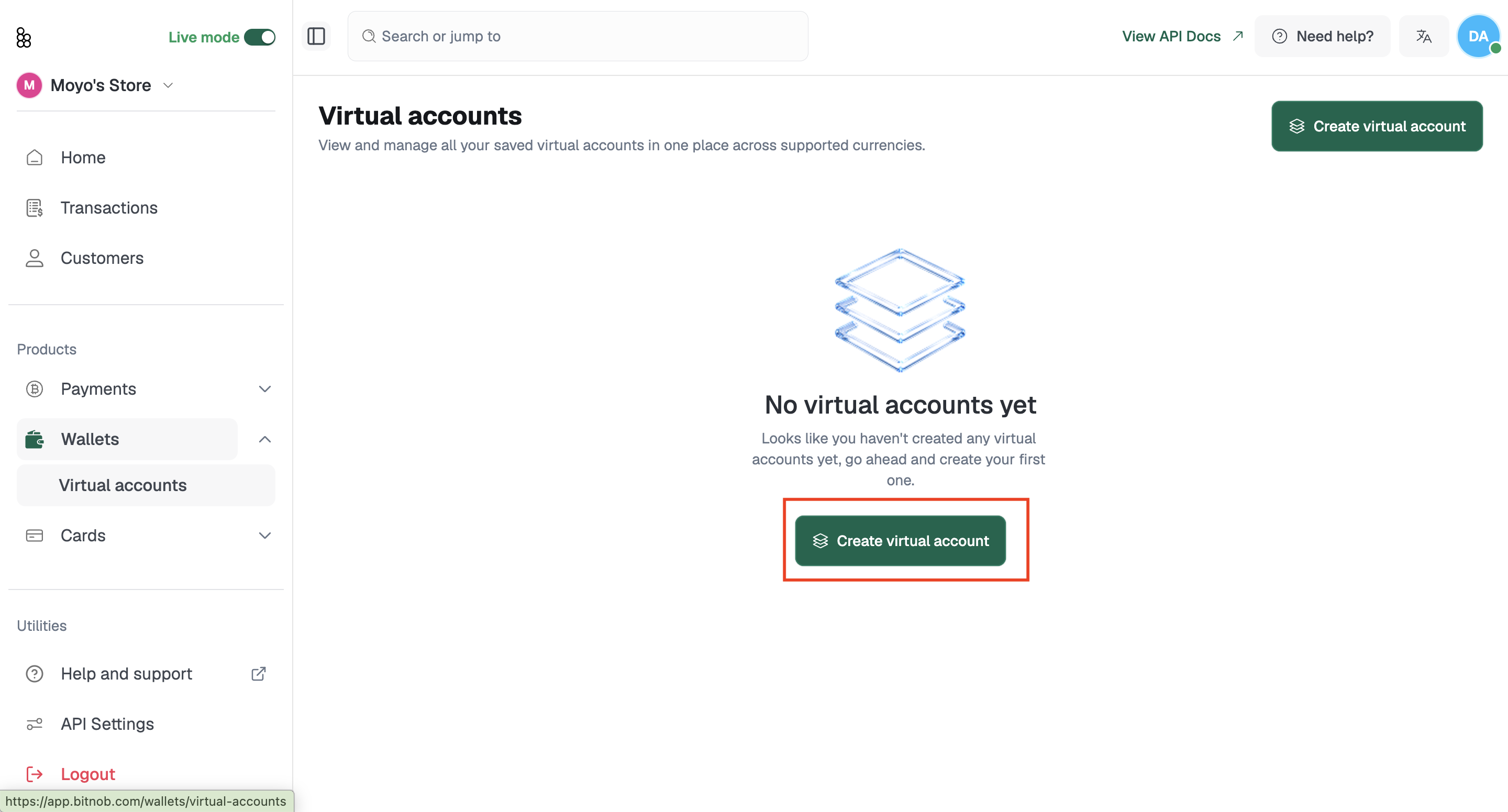
Individual — For accounts tied to a specific person. Requires a phone number, date of birth, and BVN.
Business — For accounts tied to a registered business. Requires a phone number, date of birth, business legal name, business registration number, and BVN.
How to Create a Virtual Account
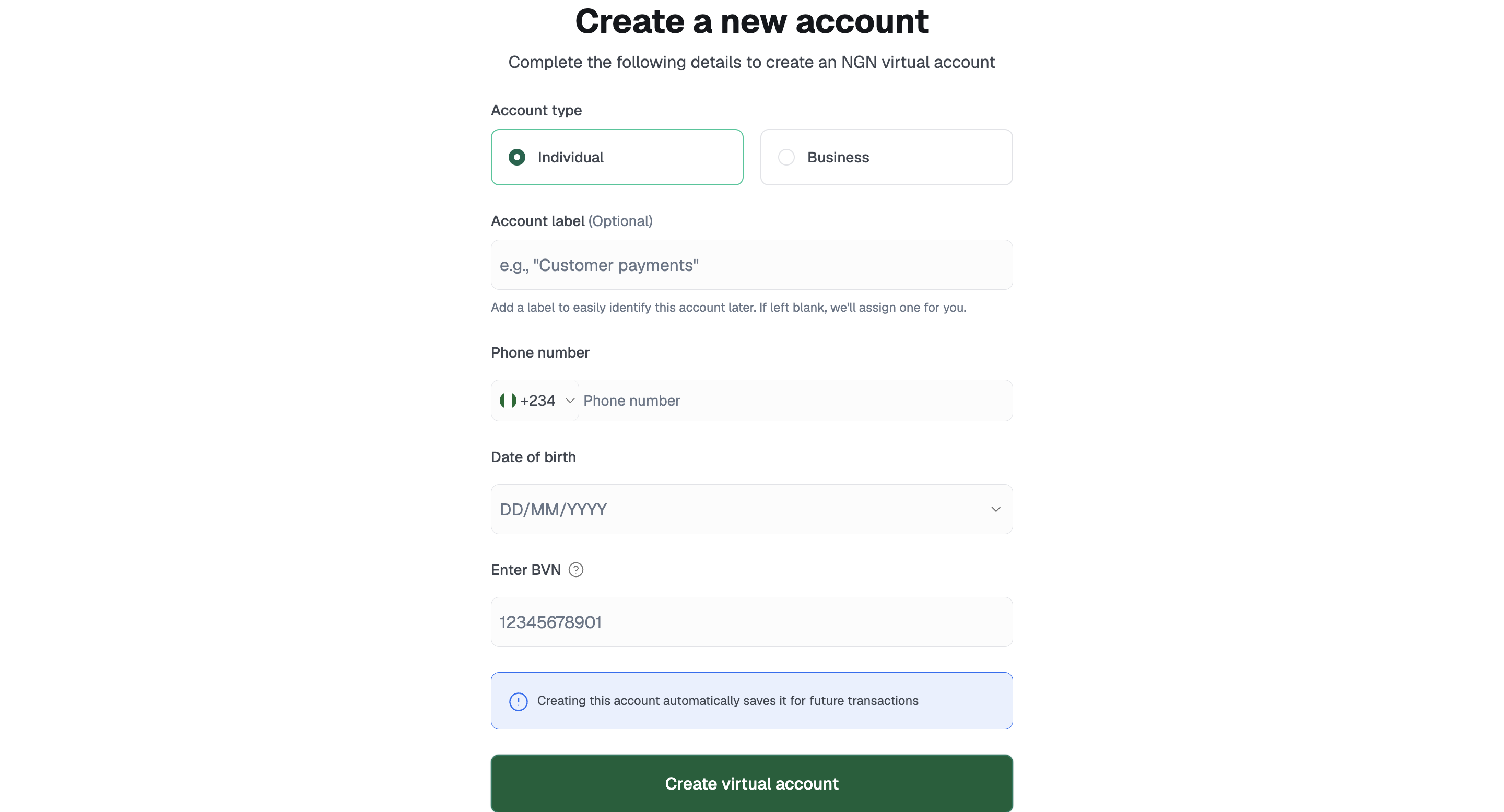
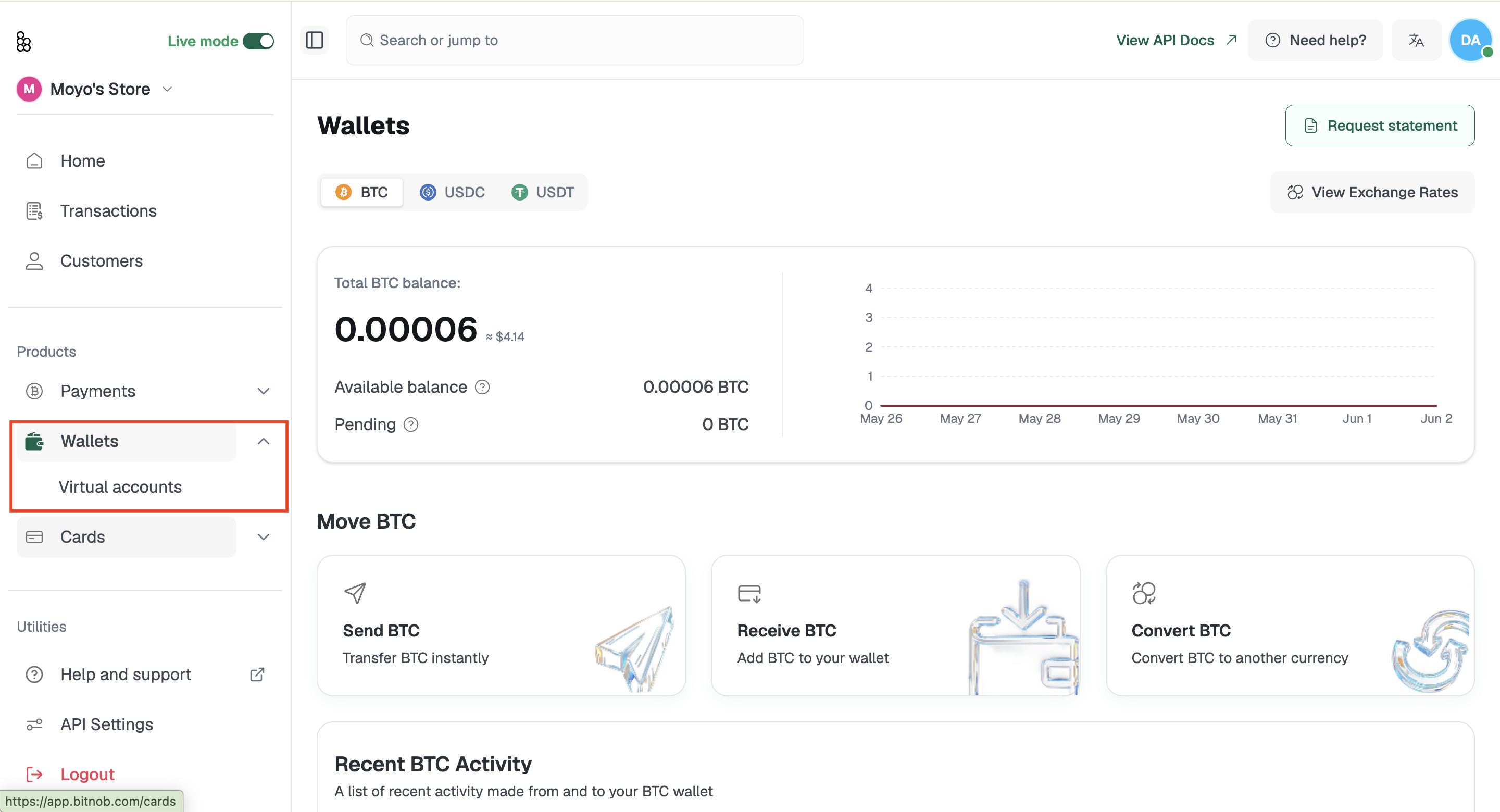
Navigate to Wallets > Virtual accounts from the left sidebar
Click + Create virtual account in the top right corner
Select your Account type — Individual or Business
Enter an Account label (optional) — a name to help you identify this account later. If left blank, one will be assigned for you
Enter the Phone number associated with the account
Select the Date of birth
If creating a Business account, also enter:
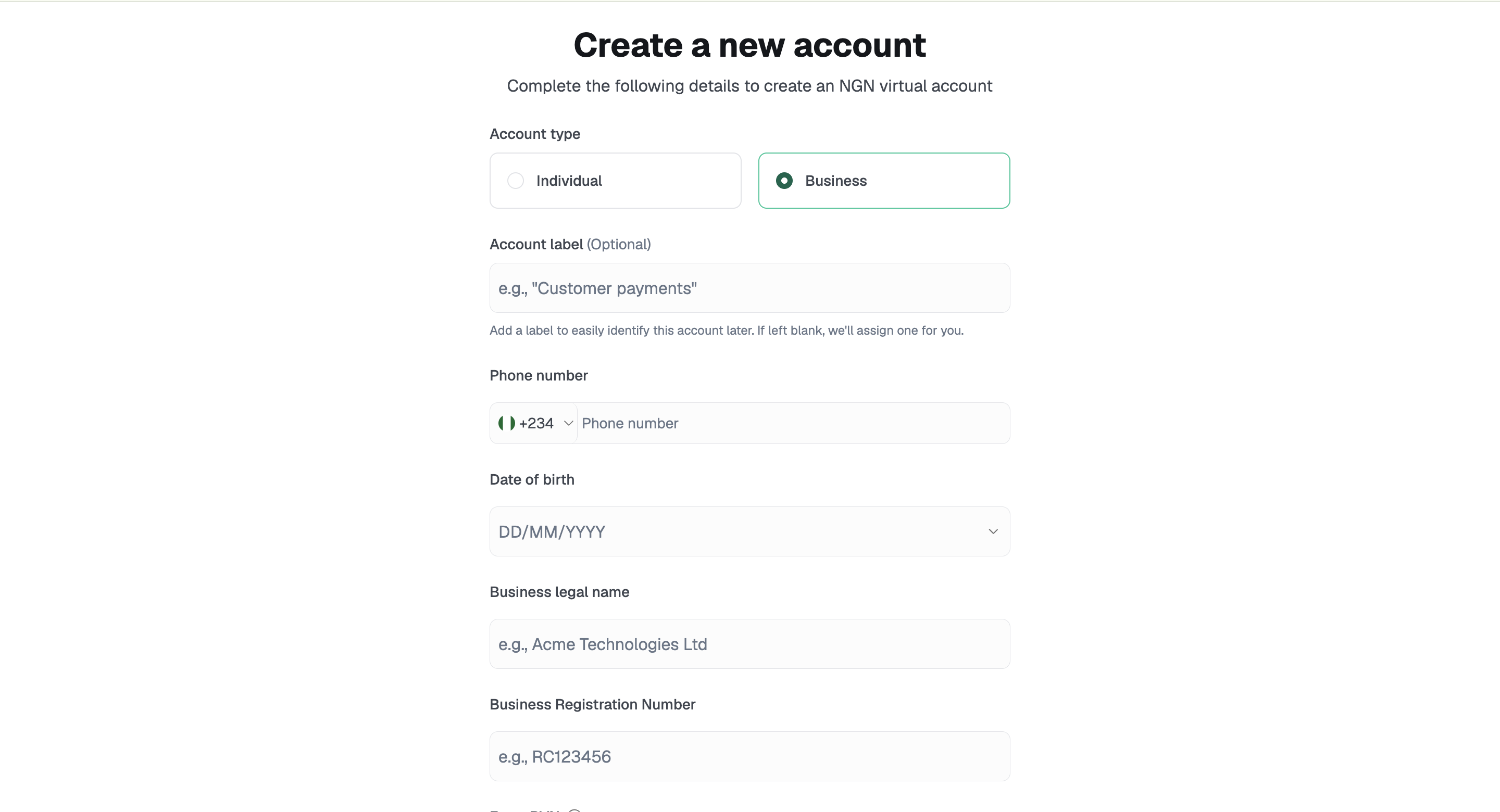
Business legal name
Business Registration Number
Enter the BVN
Click Create virtual account
Once created, the account is saved automatically and will appear in your Virtual Accounts list.
Note: Virtual accounts are currently created in NGN. Each account is saved for future transactions as soon as it is created.
Related Articles