
How to Set up a Rate Alert
Rate alerts notify you when a currency pair reaches a rate you care about so your team never misses a favorable window or an unexpected move in the market.
Getting to Rate Alerts
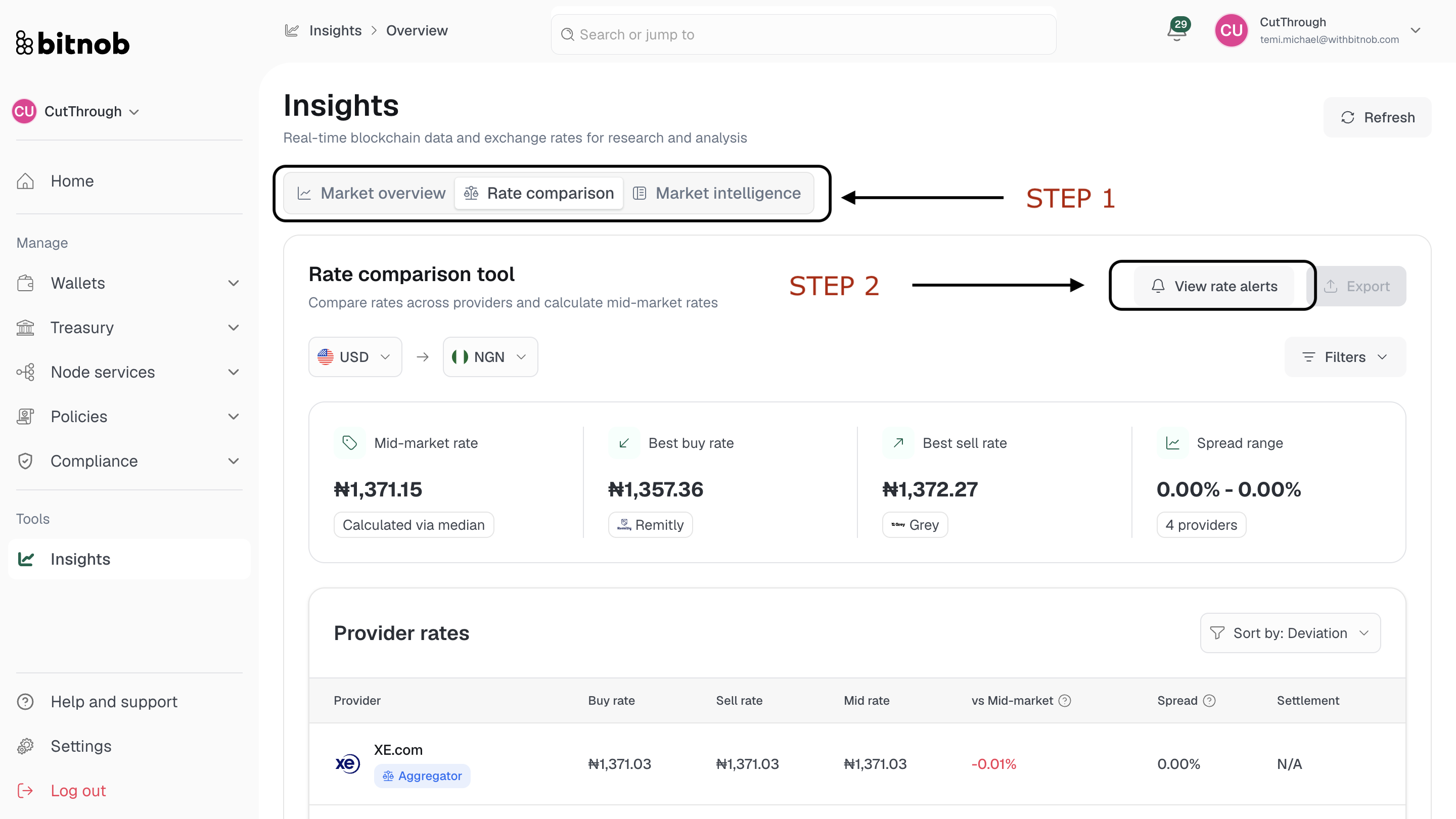
Navigate to Insights from the left sidebar
On the Rate Comparison tab, click View rate alerts in the top right
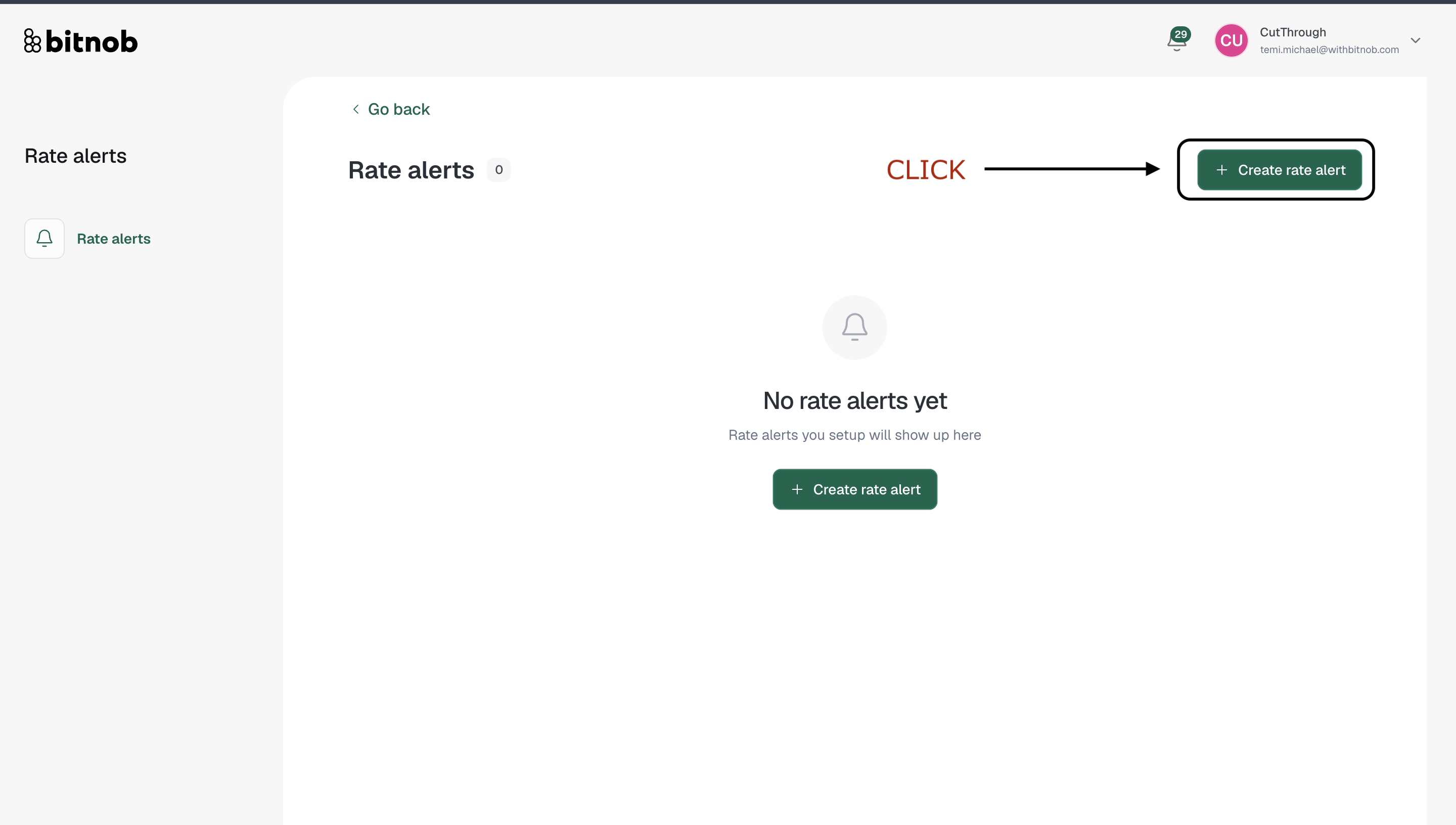
Click + Create rate alert
Steps
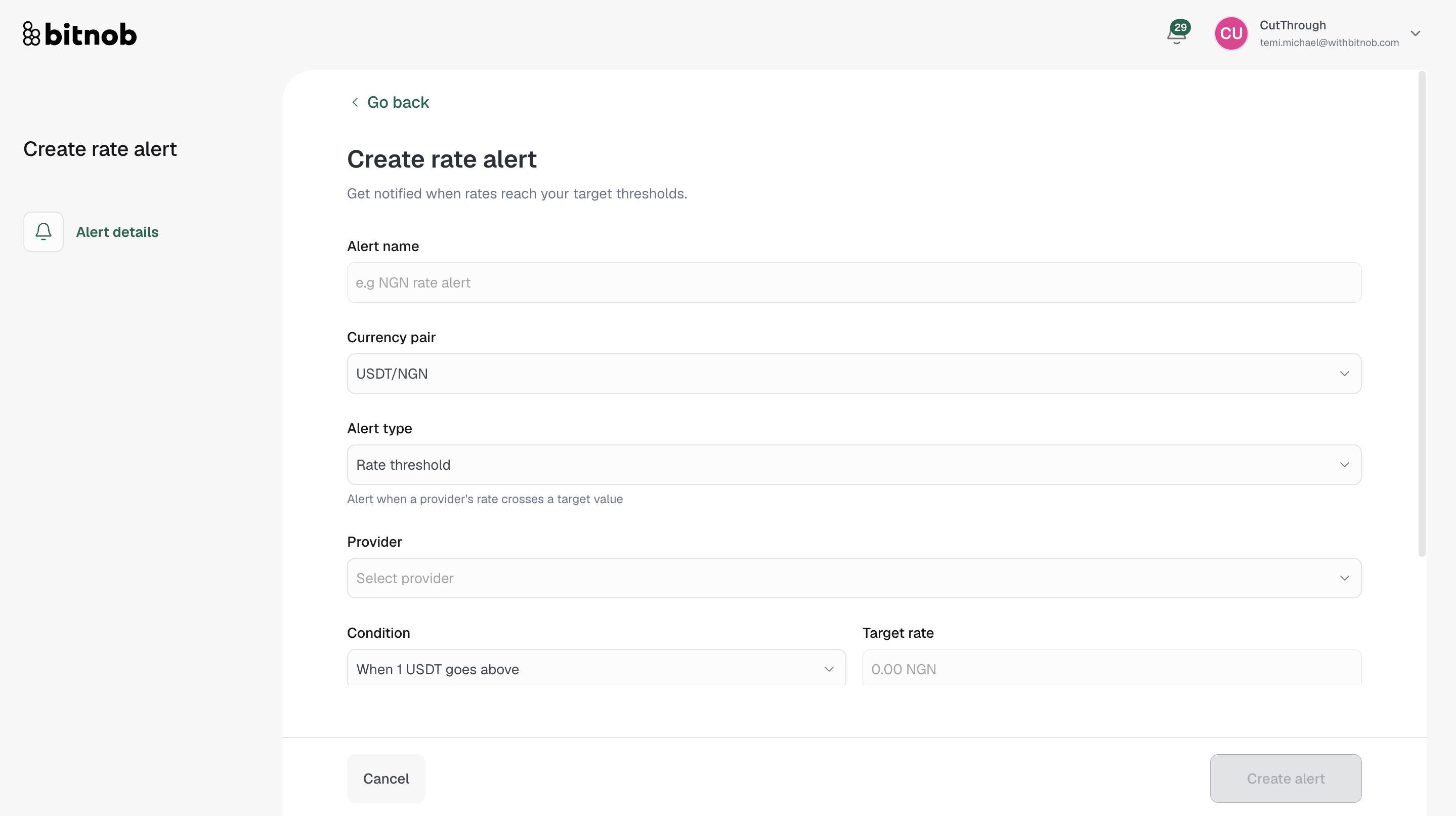
Enter an Alert name (e.g. NGN rate alert)
Select a Currency pair — available pairs include:
USDT/NGN, USDT/GHS, USDT/KES
USDC/NGN, USDC/GHS, USDC/KES
USD/NGN, USD/GHS, USD/KES
BTC/NGN, BTC/GHS, BTC/KES
Select an Alert type — choose what kind of rate movement should trigger the alert:
Rate threshold — Alert when a provider's rate crosses a specific target value
Platform spread — Alert based on the spread between providers
Mid-market deviation — Alert when the rate deviates from the mid-market rate by a set amount
Select a Provider to monitor — available providers include Binance, Binance P2P, Bybit, Bybit P2P, Coinbase, Bloomberg, Kraken, Monierate, Reuters, XE.com, OKX, Central Bank of Nigeria, Cauridor FX, Grey, Nala, Sendwave, WorldRemit, Chipper Cash, Remitly, Wise (TransferWise), Eversend, Western Union, Thunes, and NoOnes
Set the Condition and Target rate — define the specific rate threshold that should trigger the alert
Select your Notification preferences — choose how you want to be notified:
In-App notifications — Alerts appear inside the platform
Email notifications — Alerts are sent to your account email
Click Create alert
Once created, your alert will appear in the Rate Alerts list and will fire whenever the conditions you defined are met.
Related articles