
Rate Comparison
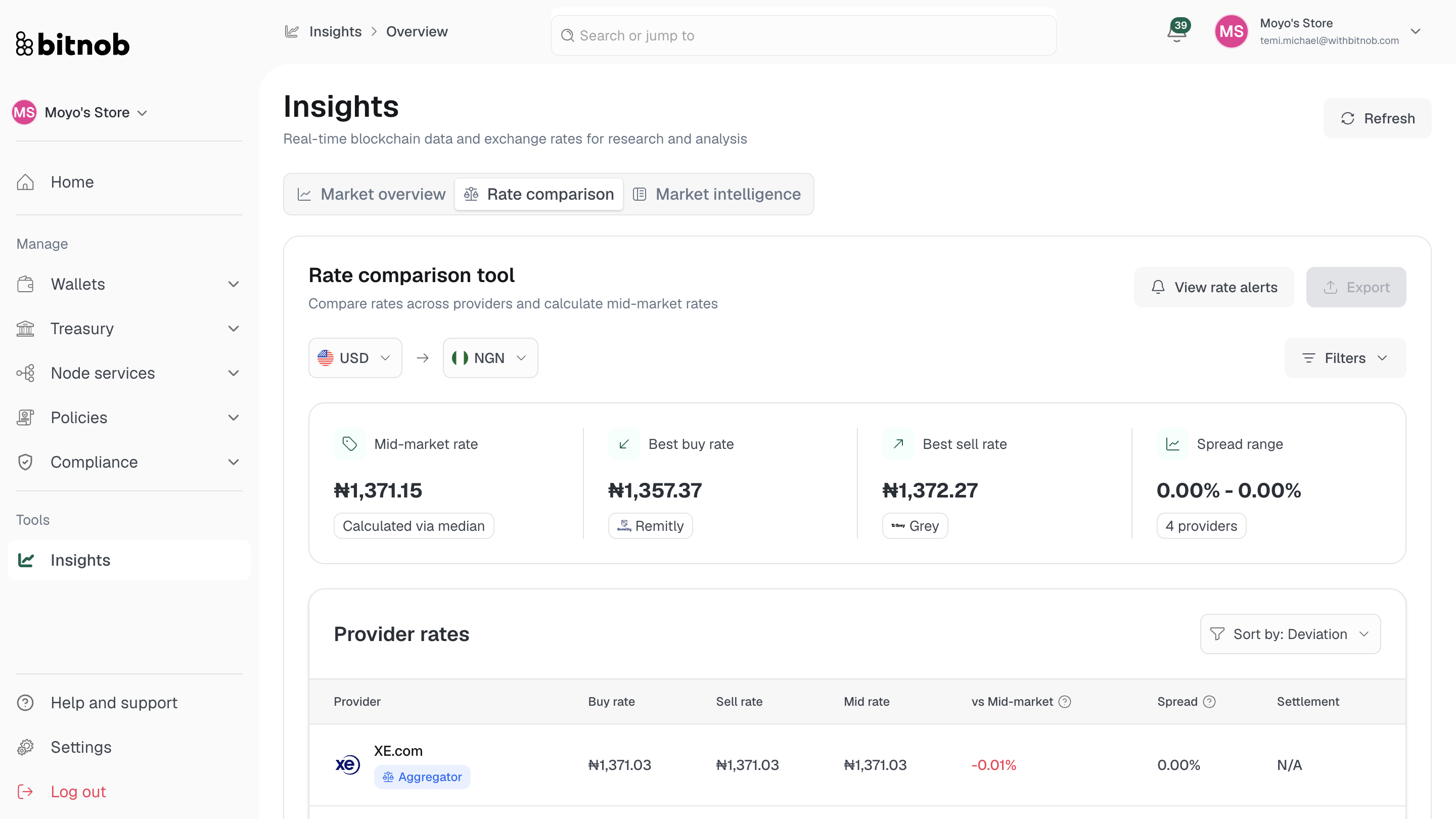
The Rate Comparison tab lets you compare exchange rates across multiple providers for a selected currency pair and calculate the mid-market rate — giving your team a clear view of where to get the best rate for any given transaction.
Summary metrics
At the top of the Rate Comparison tab, four summary cards give you an instant snapshot:
Mid-market rate — Calculated via the median of all provider rates
Best buy rate — The most favorable rate for buying, and which provider offers it
Best sell rate — The most favorable rate for selling, and which provider offers it
Spread range — The range of spreads across all visible providers
Provider rates table
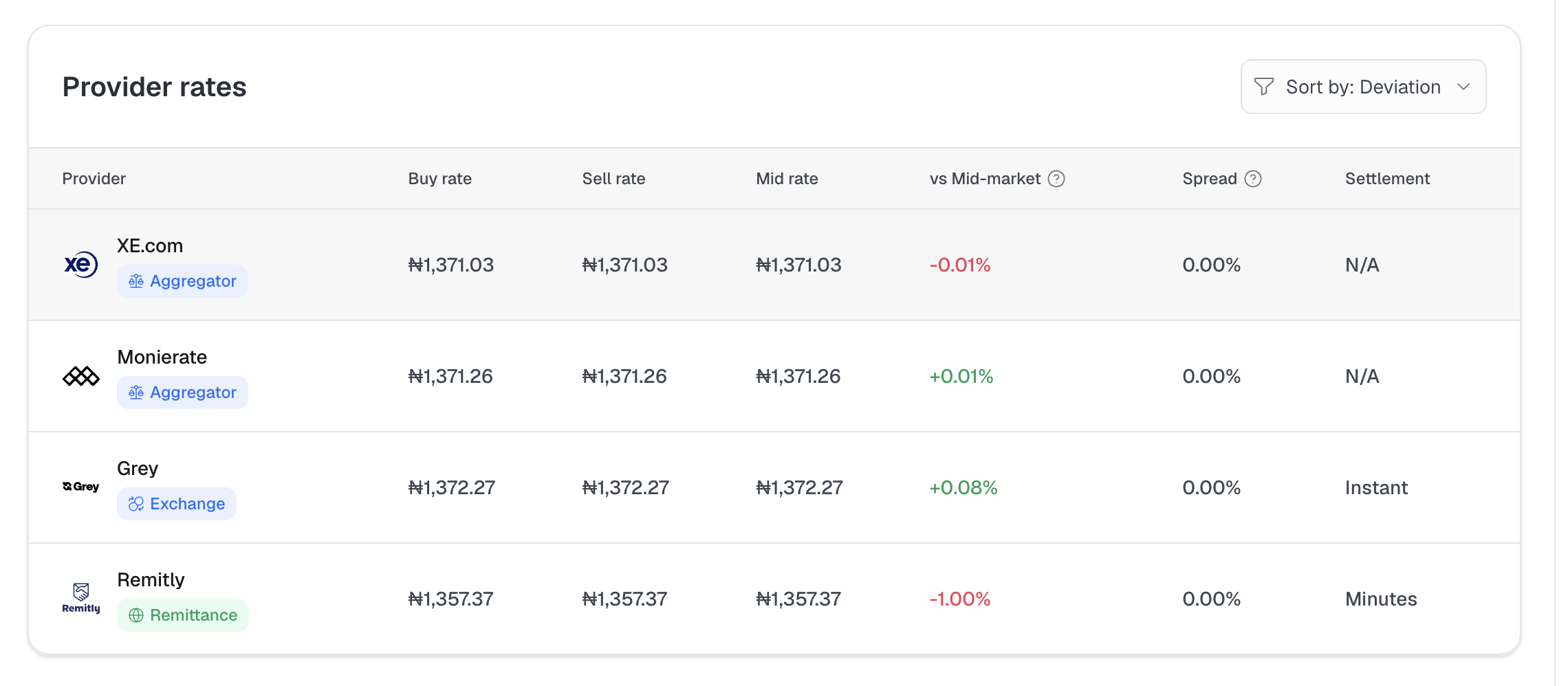
Below the summary, the provider rates table lists all included providers with their buy rate, sell rate, mid rate, deviation from the mid-market rate, spread percentage, and settlement speed.
Filtering the comparison
Use the Filters panel to customize what you see:
By type — Filter providers by category: Remittance, Aggregator, P2P, Exchange, Bank, or OTC
By provider — Select between 2 and 5 specific providers to compare directly. Available providers include Monierate, XE.com, Grey, Remitly, and others
Rate Trends
Below the provider table, the Rate Trends chart shows historical rate movements for the selected currency pair over time. Toggle between 1W, 1M, and 3M views. The mid-market rate is plotted as a reference line calculated from all providers.
Switching currency pairs
Use the currency selectors at the top of the tab to change the base and quote currency for the comparison. Click Export to download the current rate comparison data.
Related articles