
Managing Beneficiaries
Beneficiaries are saved recipients. Add someone once, and you can select them directly in future payments instead of re-entering their details every time.
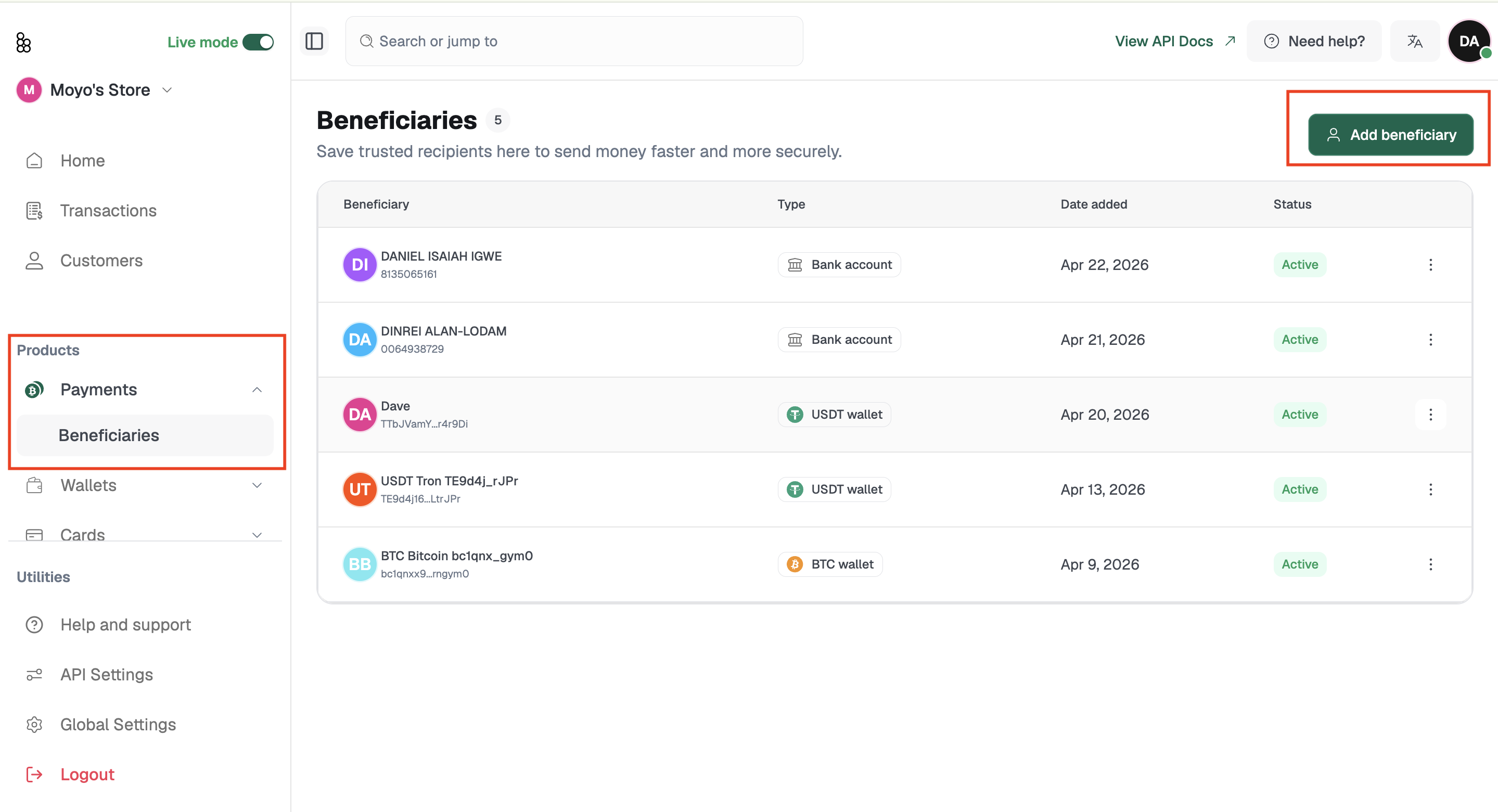
Each beneficiary record shows their name, type (bank, crypto, mobile money, or Bitnob account), last paid date, date added, and status.
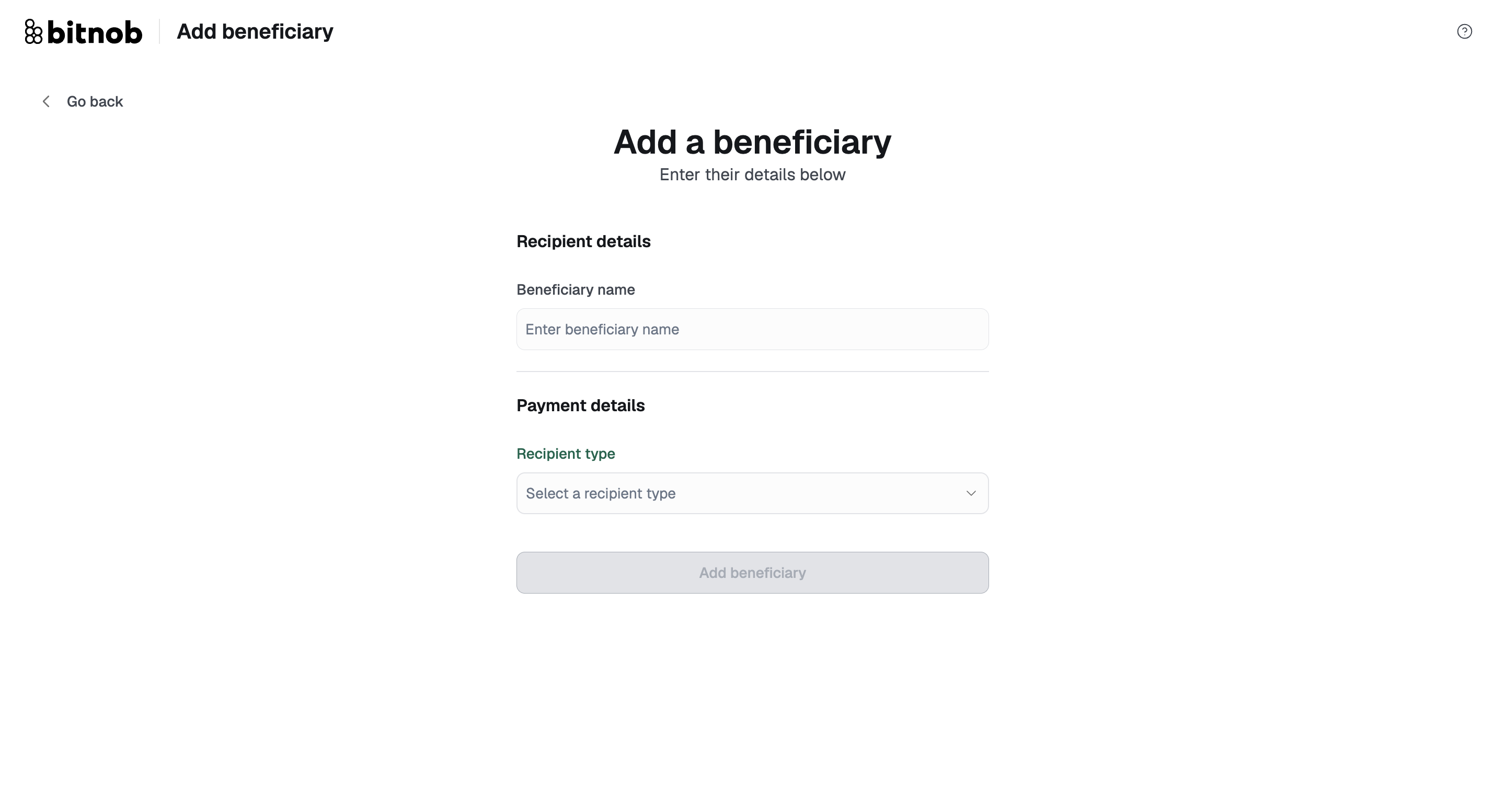
To add a beneficiary, Go to "Products" then navigate to "Beneficiaries "click Add Beneficiary, enter their details, and save. They'll now appear as a selectable option in the Recipient step of any Send flow.
Tip: It's worth adding your frequently paid recipients as beneficiaries before you next need to pay them. For crypto addresses especially, saving recipients removes the need for manual re-entry and in crypto, a wrong address means funds are gone for good.
Related articles: