
Managing Customers
Edited
The Customers section is where you manage records for the end-users your business transacts with or processes payments on behalf of. It's most relevant for businesses running API-powered payment flows — where Bitnob infrastructure sits underneath a product you've built.
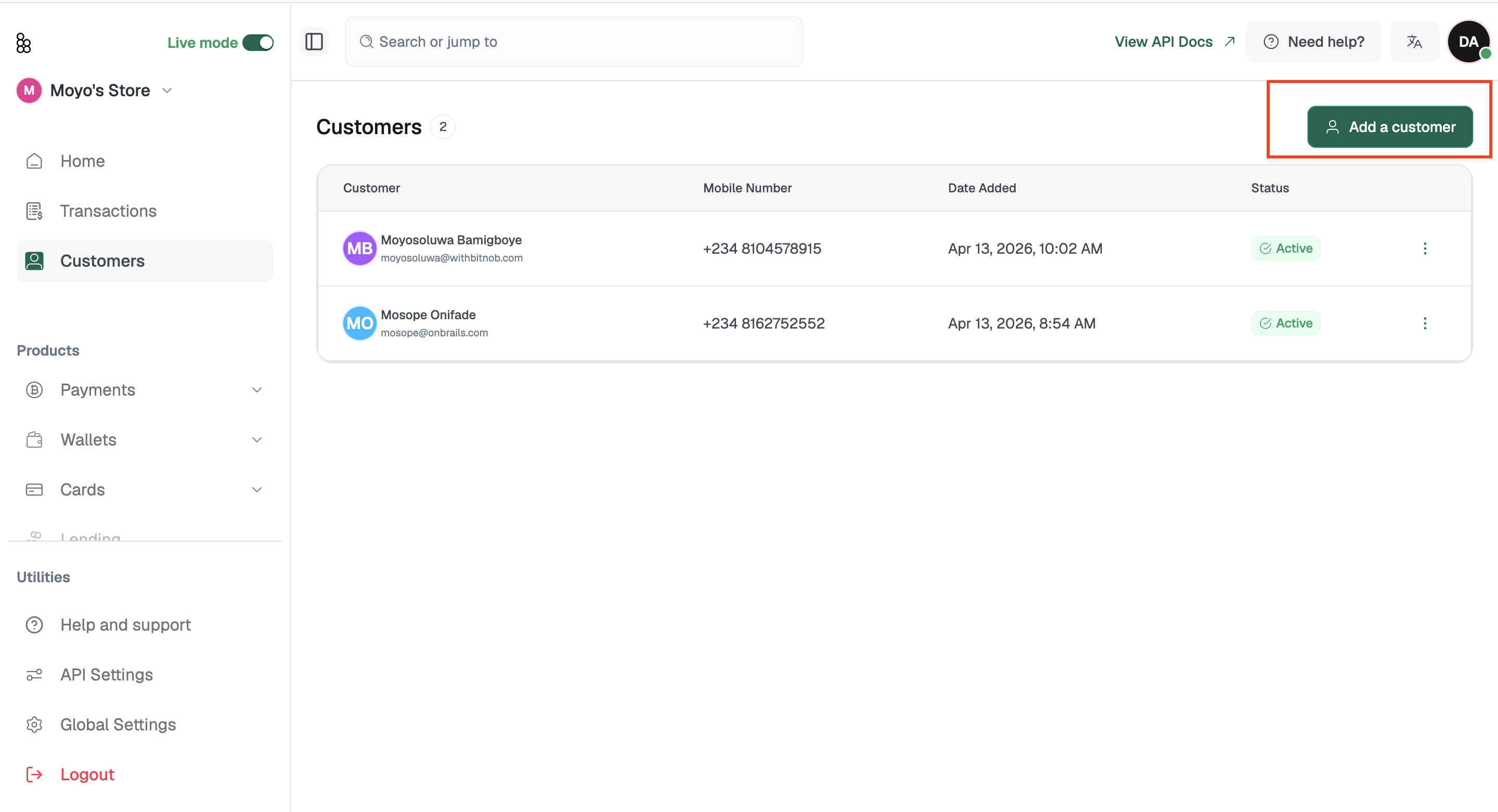
Each customer record includes their Customer ID, name, mobile number, date added, and status.
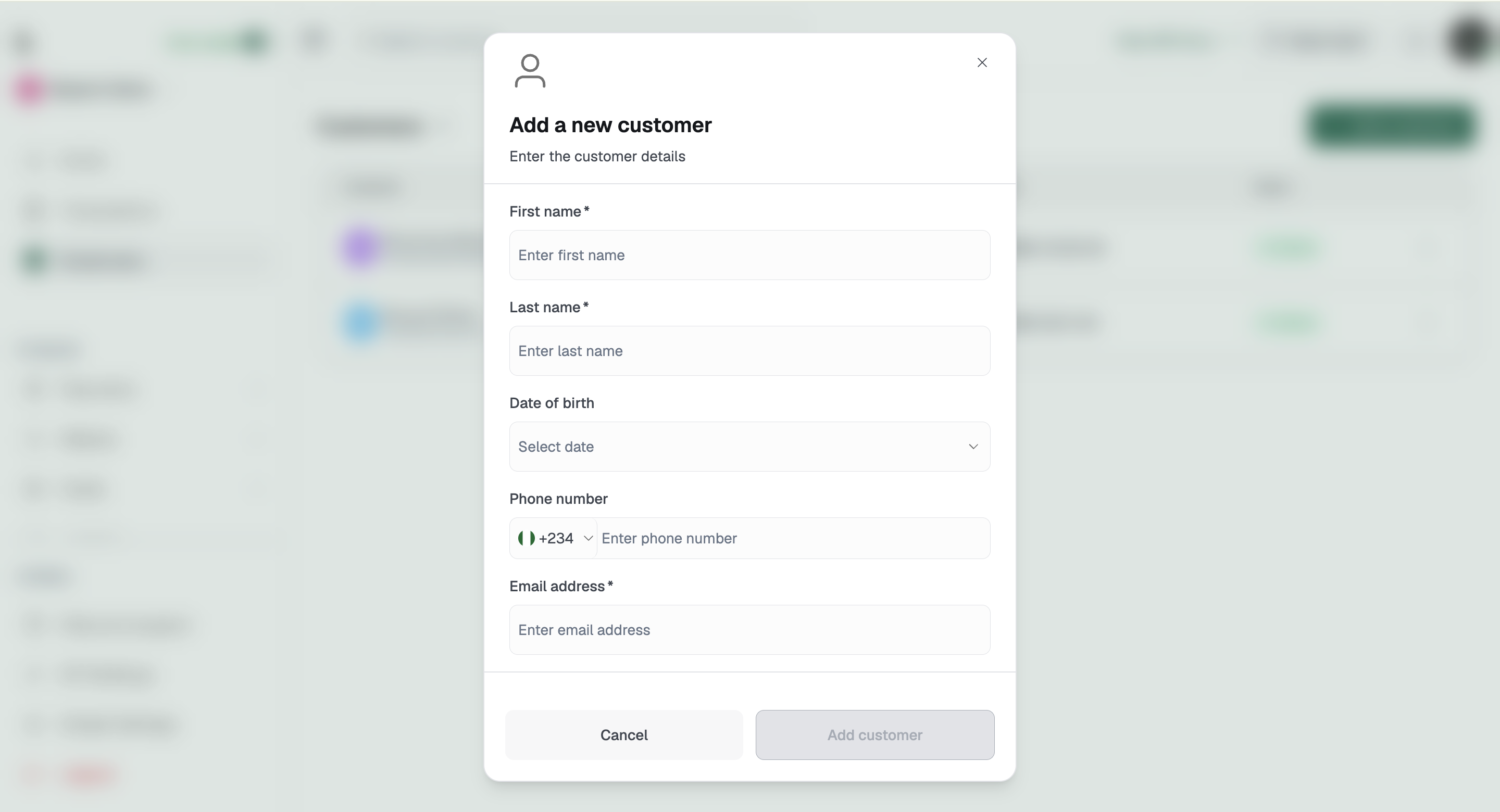
To add a customer, click Add a Customer and fill in their details. Once added, the record can be referenced in payment flows and reporting through our API.
For developer documentation on the Customers API, visit bitnob.dev/docs.
Related articles:
customers
customer records
customer management
Was this article helpful?
Sorry about that! Care to tell us more?