
How to Create a Gas Station
You can create one gas station per blockchain. If your operations run across multiple chains, you can set up a separate gas station for each.
Steps
Navigate to Wallets > Gas Station from the left sidebar.
Click + Create gas station.
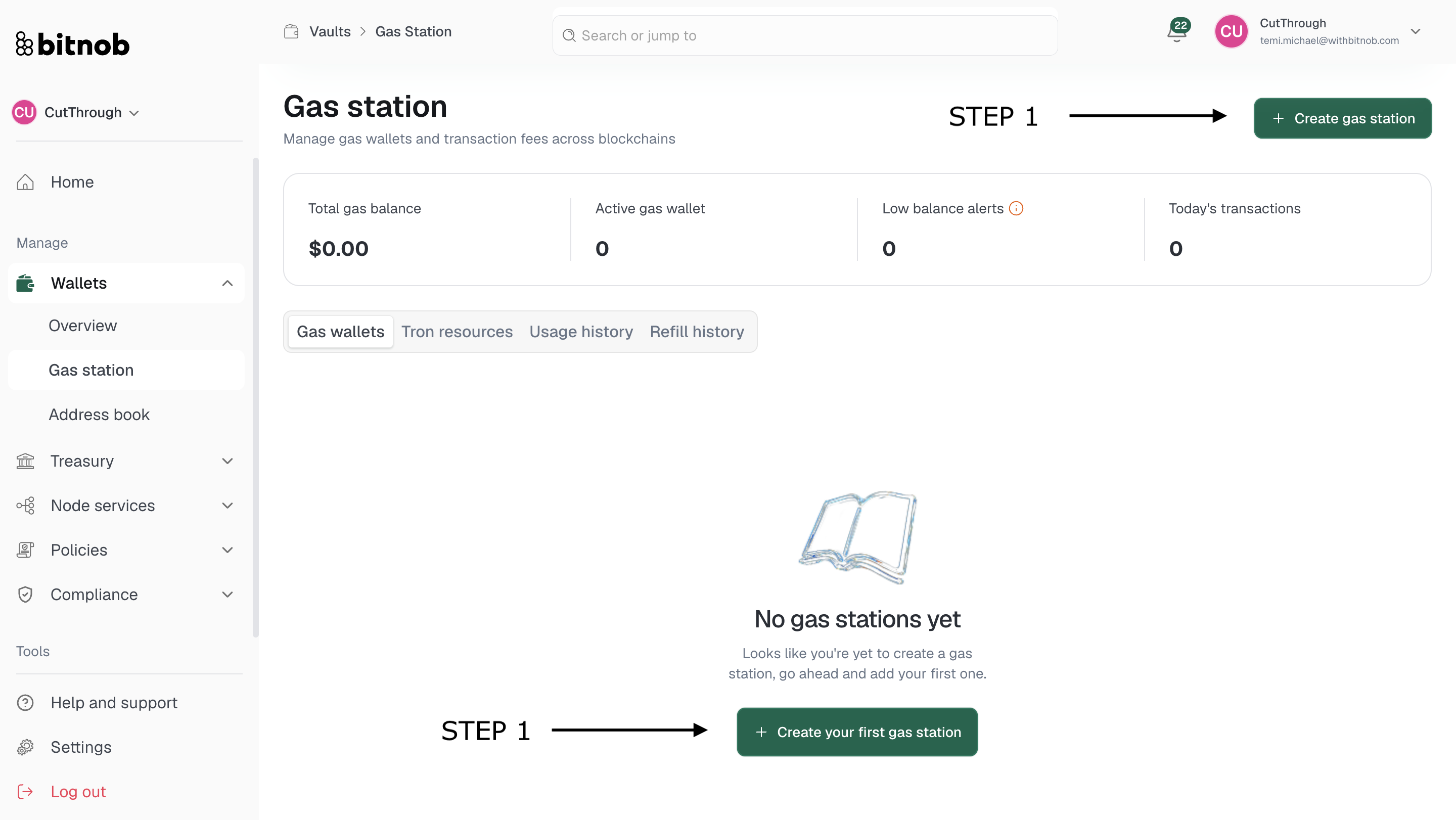
Review the overview of how gas stations work and click Create
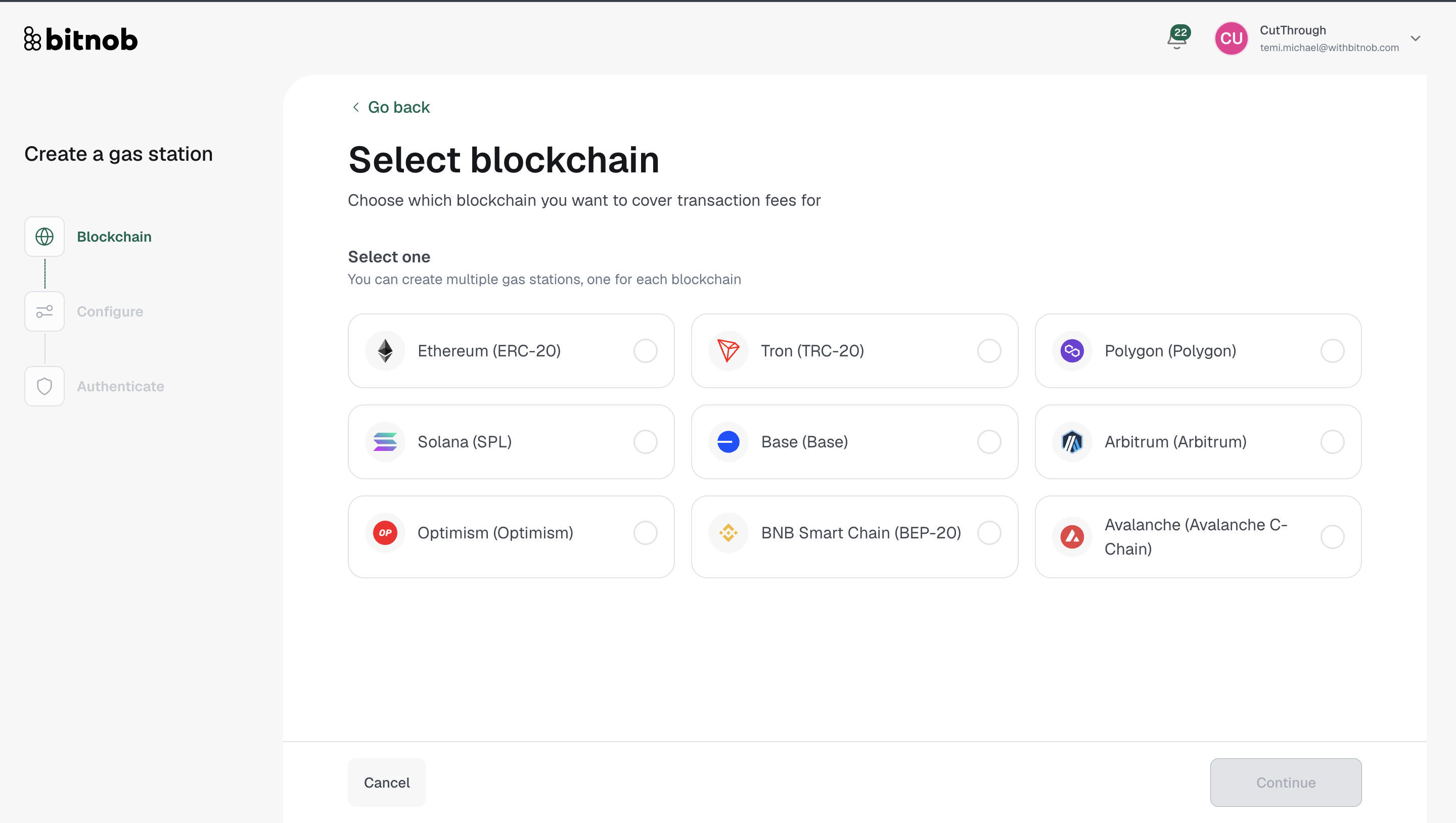
Select a blockchain — Choose the network you want to cover transaction fees for:
Ethereum (ERC-20)
Tron (TRC-20)
Polygon
Solana (SPL)
Base
Arbitrum
Optimism
BNB Smart Chain (BEP-20)
Avalanche (Avalanche C-Chain)
Click Continue
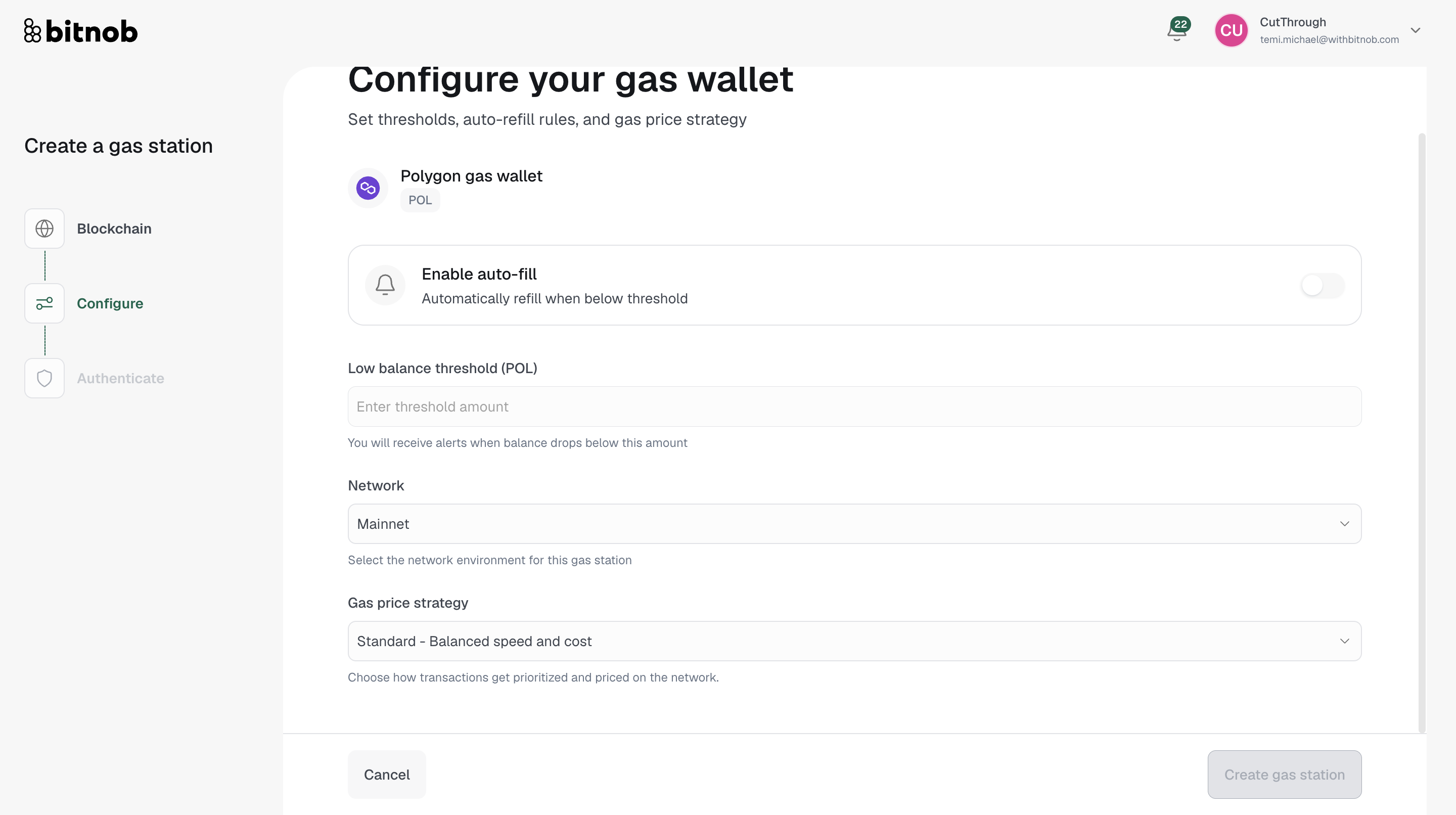
Configure your gas wallet:
Auto-refill — Toggle on to automatically refill the wallet when the balance drops below your set threshold
Balance threshold — Set the minimum balance at which you want to receive alerts and trigger refills
Network — Select Mainnet for real funds or Testnet for testing
Gas price strategy — Choose how transactions get prioritized and priced on the network. Standard (balanced speed and cost) is selected by default
Click Create gas station to complete setup
Complete authentication to finalize
Note: You can create one gas station per blockchain. If you need to cover fees on multiple chains, repeat this process and select a different blockchain each time.
Related articles