How to Get Help From Bitnob
Are you a Bitnob App user or a Business user? Bitnob has two separate help centres depending on how you use the platform. Please make sure you're in the right place before reaching out:
Bitnob App (personal) → https://intercom.help/Bitnob-help-center/en/
Bitnob Business and Enterprise → https://help.bitnob.com/en
Our support team is available 9 am – 5 pm, 6 days a week, excluding Sundays.
Bitnob App Support If you use the Bitnob mobile or web app for personal transactions (sending, receiving, or saving), please contact the App support team:
Email: hello@bitnob.com
Live chat: Available directly in the app, or from the App Help Centre at https://intercom.help/Bitnob-help-center/en/
In-app support: Tap Settings → Help & Support in the Bitnob app
Bitnob Business Support If you use the Bitnob Business dashboard or API, please contact the Business support team:
Email Us:
General support and troubleshooting for Business Accounts: help@bitnob.com
Business partnerships: help@bitnob.com
Help Centre: https://help.bitnob.com/en
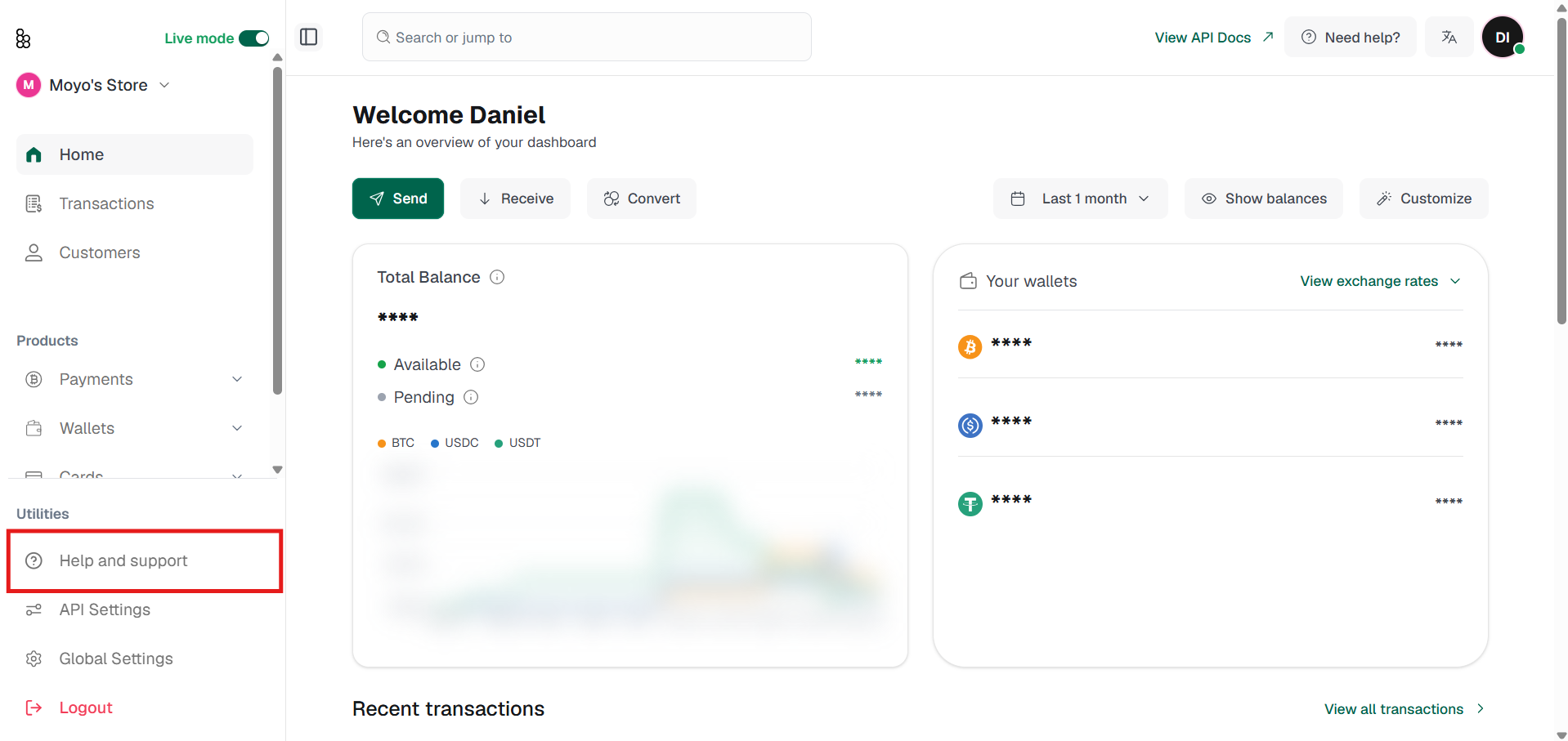
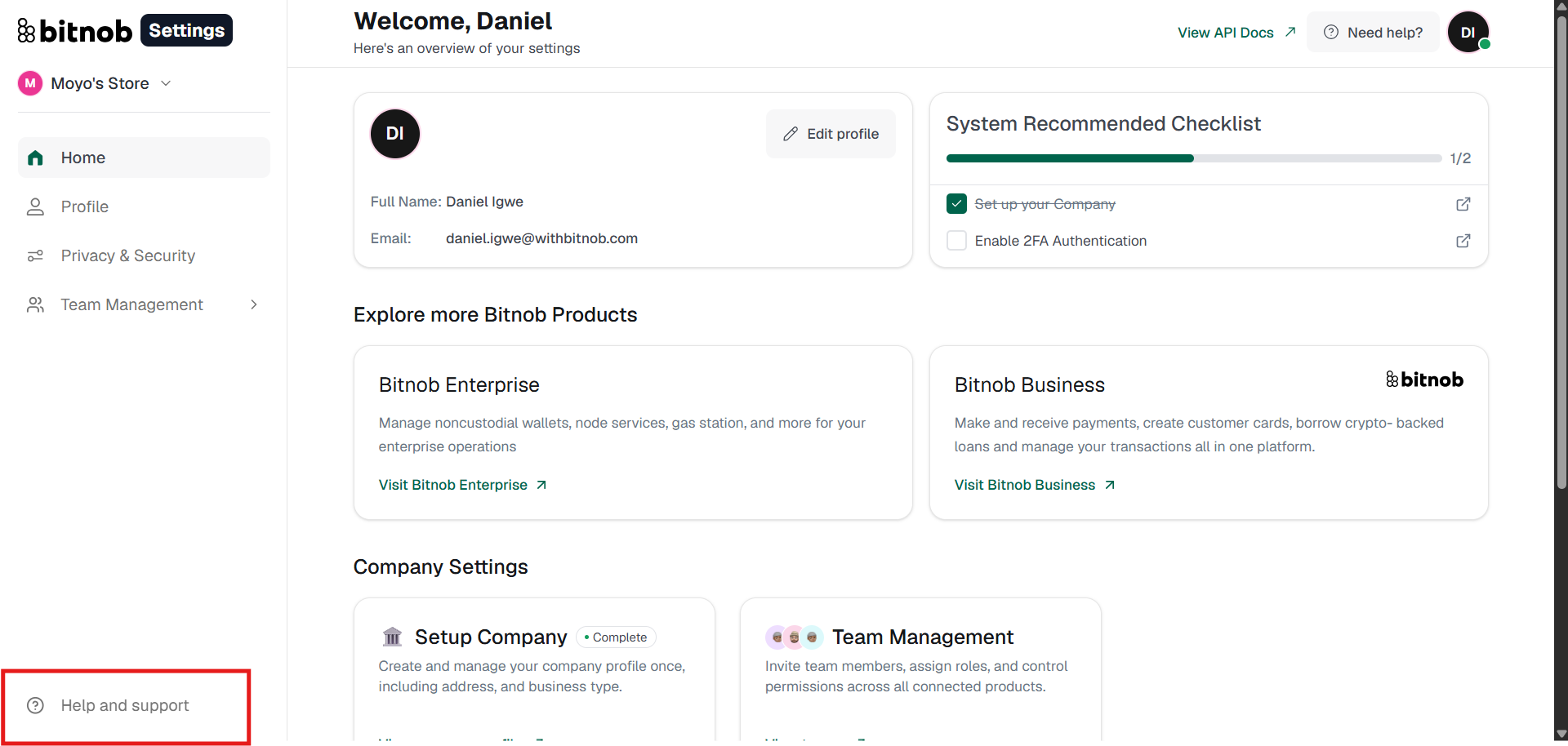
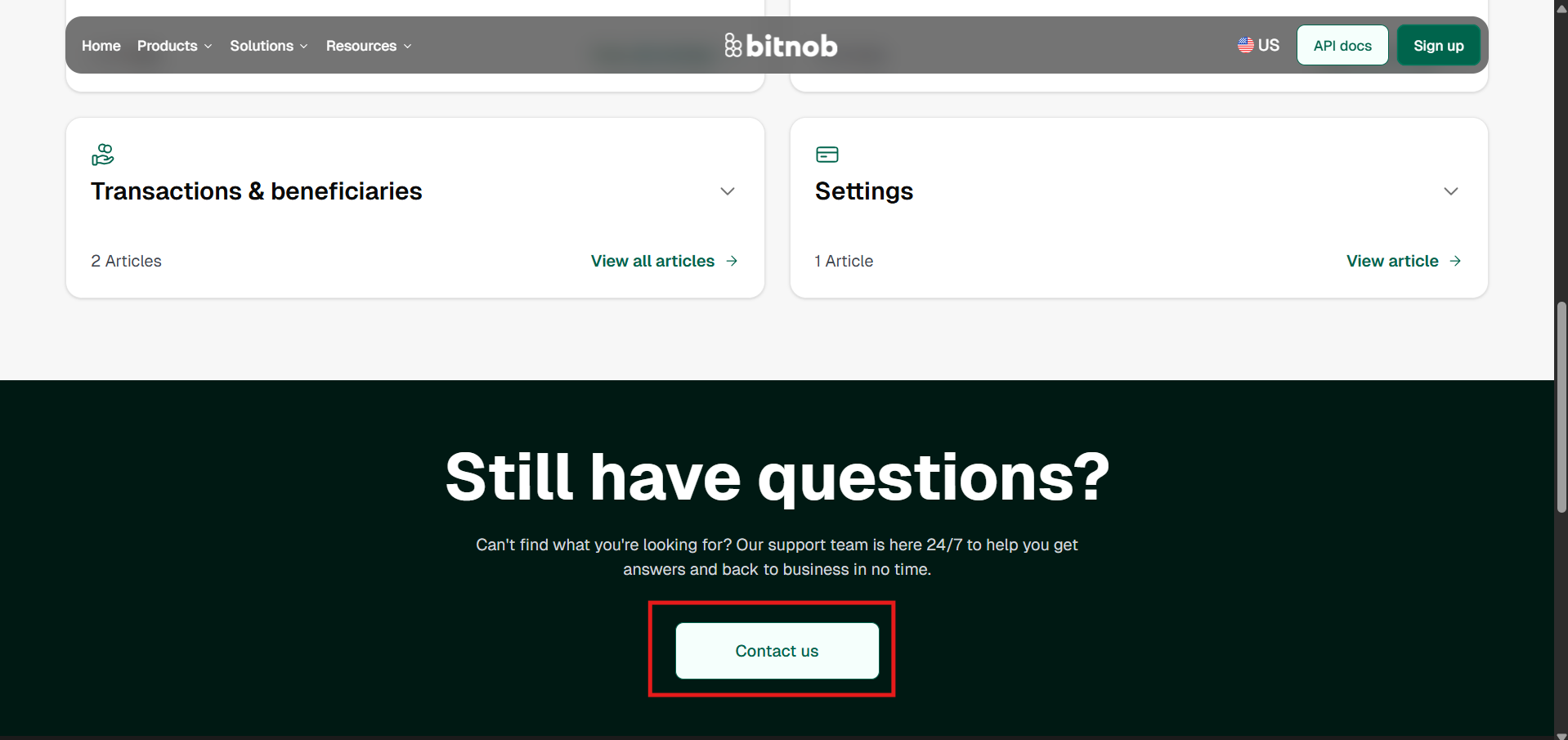
For any questions about the platform, go to Help and Support in the Business dashboard or the Bitnob Settings sidebar. This will take you to the Bitnob Help Center, where you can find articles tailored to your needs. At the bottom of the page, access the Contact Us button for more specific enquiries.
To receive help with an issue: email help@bitnob.com with an appropriate subject line. Describe your issue clearly — include transaction IDs, error messages, and the steps that led to the problem. Attach screenshots where they help. You'll receive email updates as we work through your ticket.
For urgent issues involving fund security or suspected unauthorised access, email hello@bitnob.com with URGENT in the subject line.
Other Resources
Mobile app: Search Bitnob on the App Store or Google Play
Twitter/X: @Bitnob_official
Instagram: @bitnob
Facebook: /BitnobOfficial