
Reading Your Transaction History
Scroll down on any wallet page to see Recent Activity. This is a log of every movement in and out of that specific wallet. Here's what each column means:
Date: The exact date and time the transaction was recorded.
Description: A short label for the transaction type, matching the Type column.
Type: The kind of transaction it was. See the breakdown below.
Amount: The value of the transaction in the wallet's native currency. Amounts in green are credits (money coming in); amounts without colour are debits (money going out).
Transaction hash: A unique reference ID for the transaction. Use this when reporting an issue to support.
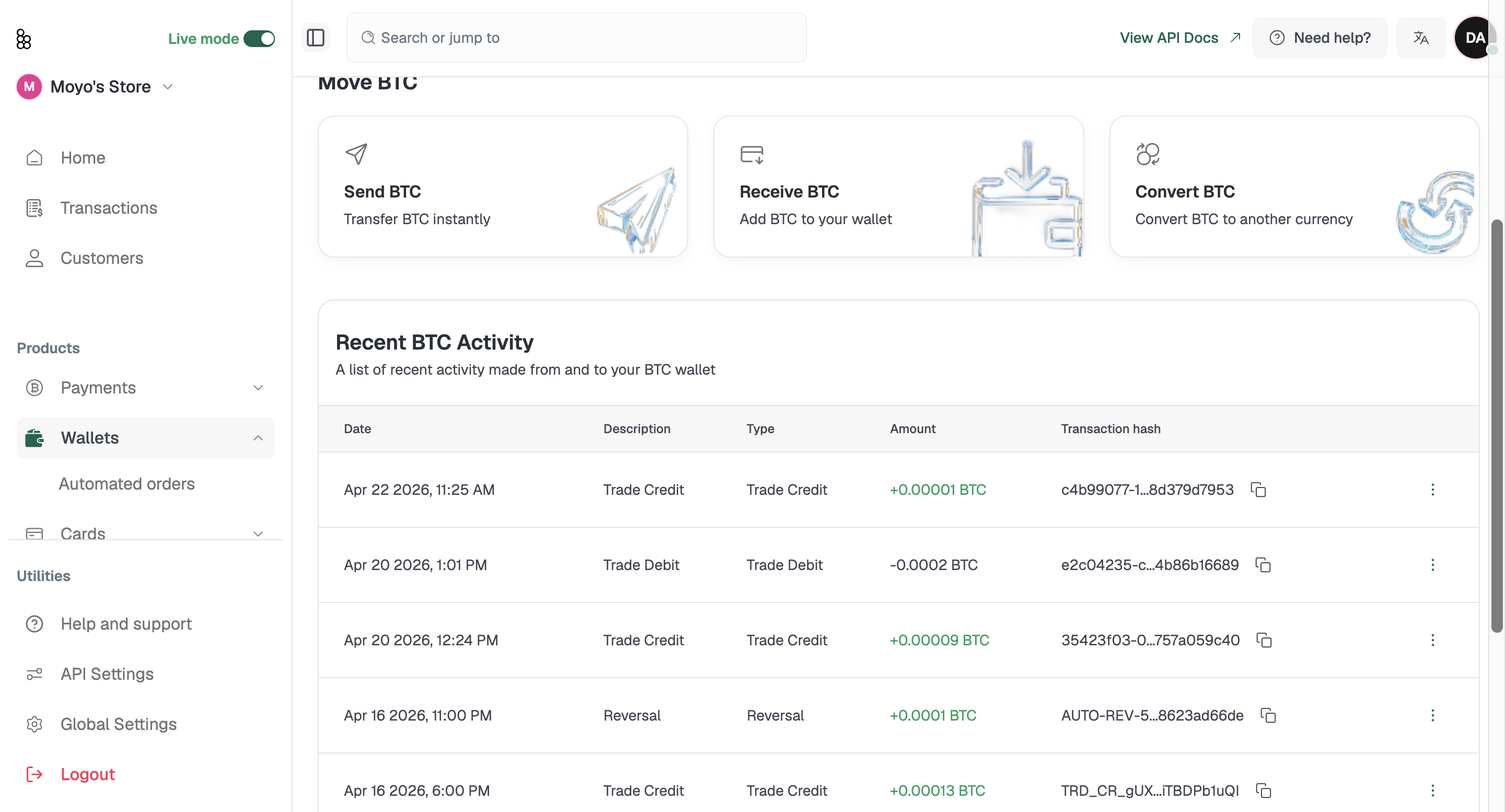
Transaction types explained
Deposit: Funds received into your wallet from an external source, such as a crypto transfer sent to your wallet address.
Withdrawal: Funds sent out of your wallet to an external address.
Trade Credit: Funds added to your wallet as the result of a conversion. For example, if you convert USDT to BTC, the BTC received shows as a Trade Credit in your BTC wallet.
Trade Debit: Funds deducted from your wallet as part of a conversion. Using the same example, the USDT sent shows as a Trade Debit in your USDT wallet.
Reversal: A transaction that was reversed and the funds returned to your wallet. This typically happens when a payment fails after funds have already been deducted.
Viewing transaction details
Click any transaction row to open the details panel. You'll see a full breakdown including the transaction reference, date and time, type, currency, amount, USD equivalent value, transaction fees, and status.
You'll also see a Channel field. Onchain means the transaction was processed on the public blockchain. Offchain means it was settled internally within Bitnob's system, without a separate blockchain record.
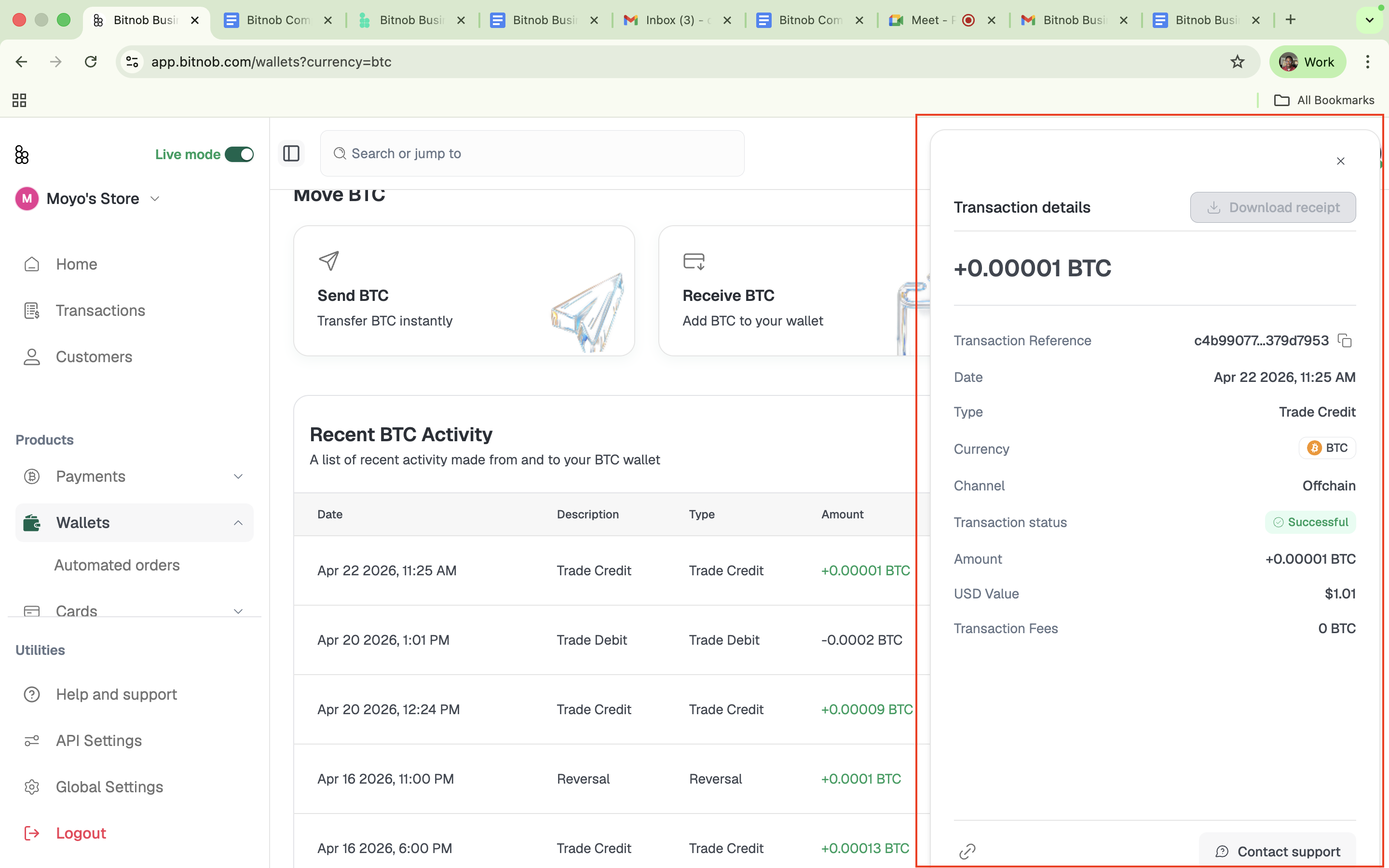
You can download a receipt for any transaction directly from the details panel.