
Managing Cards
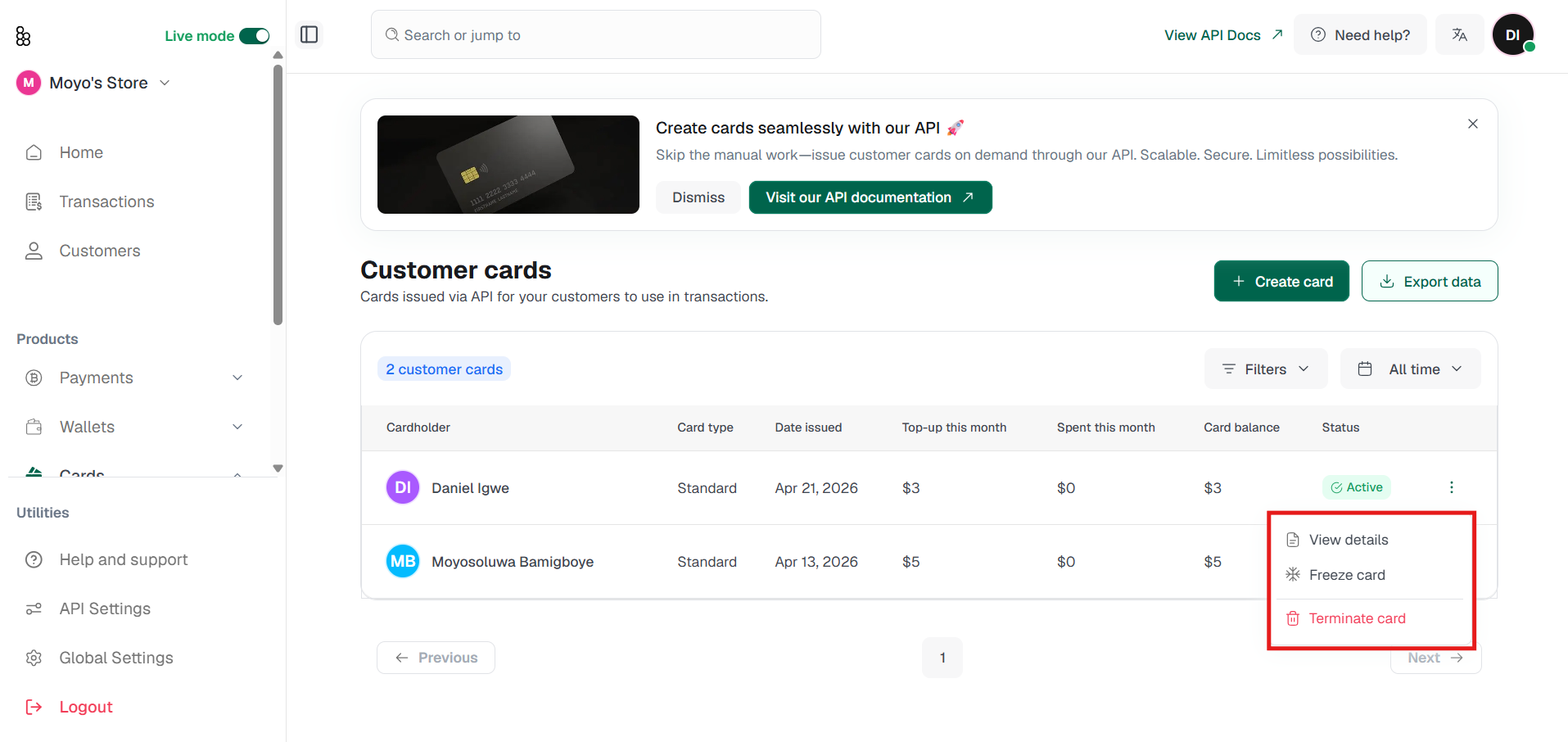
Each card has a few management actions:
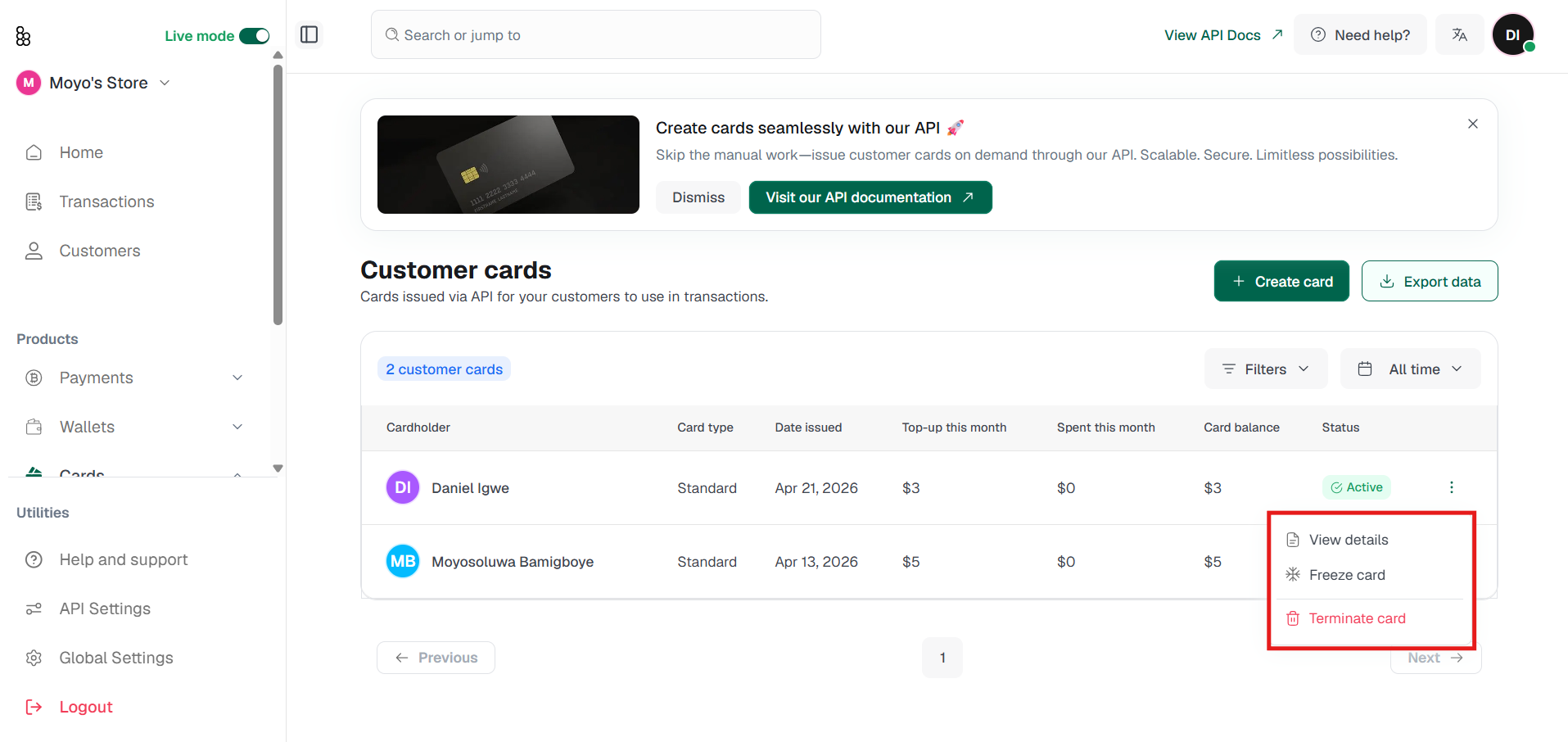
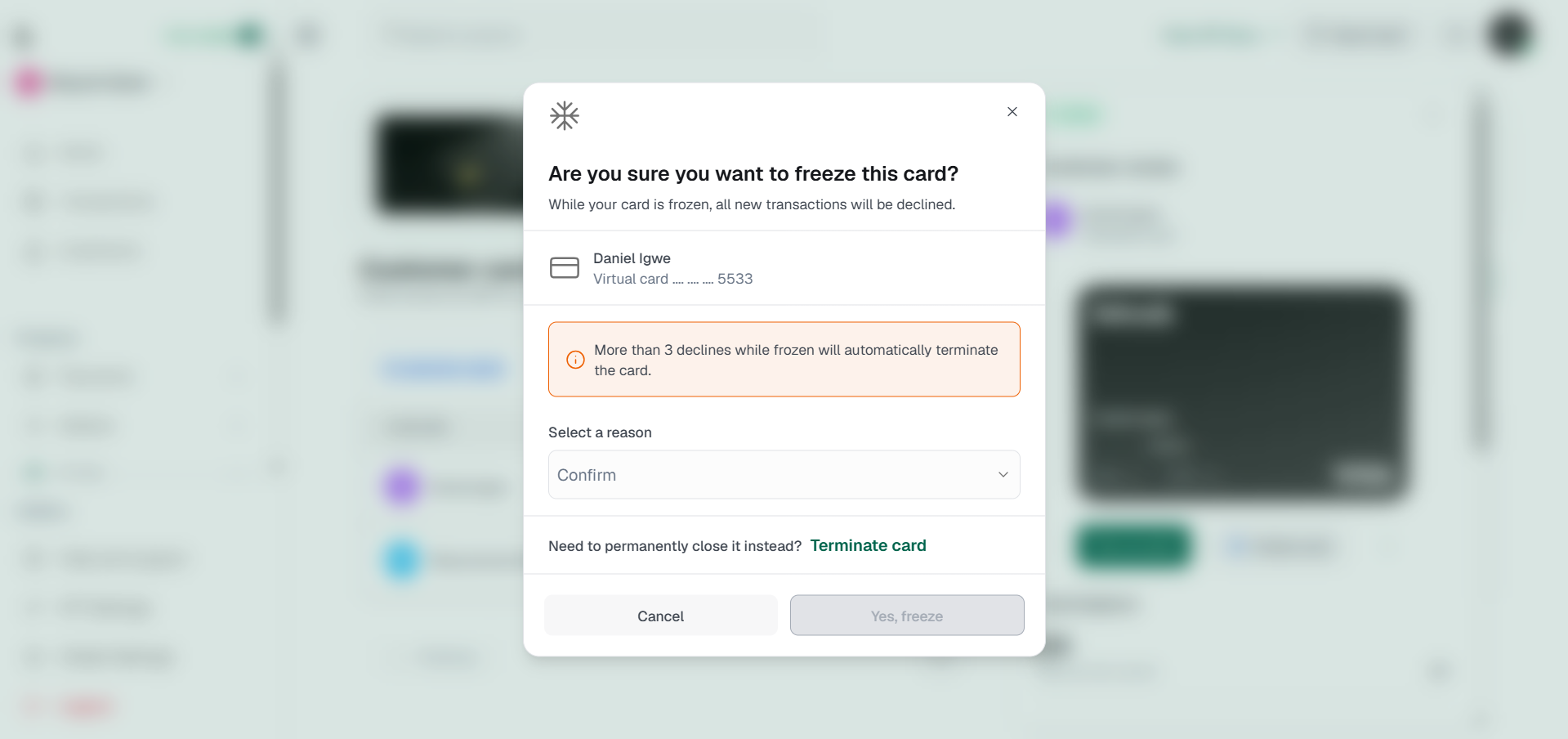
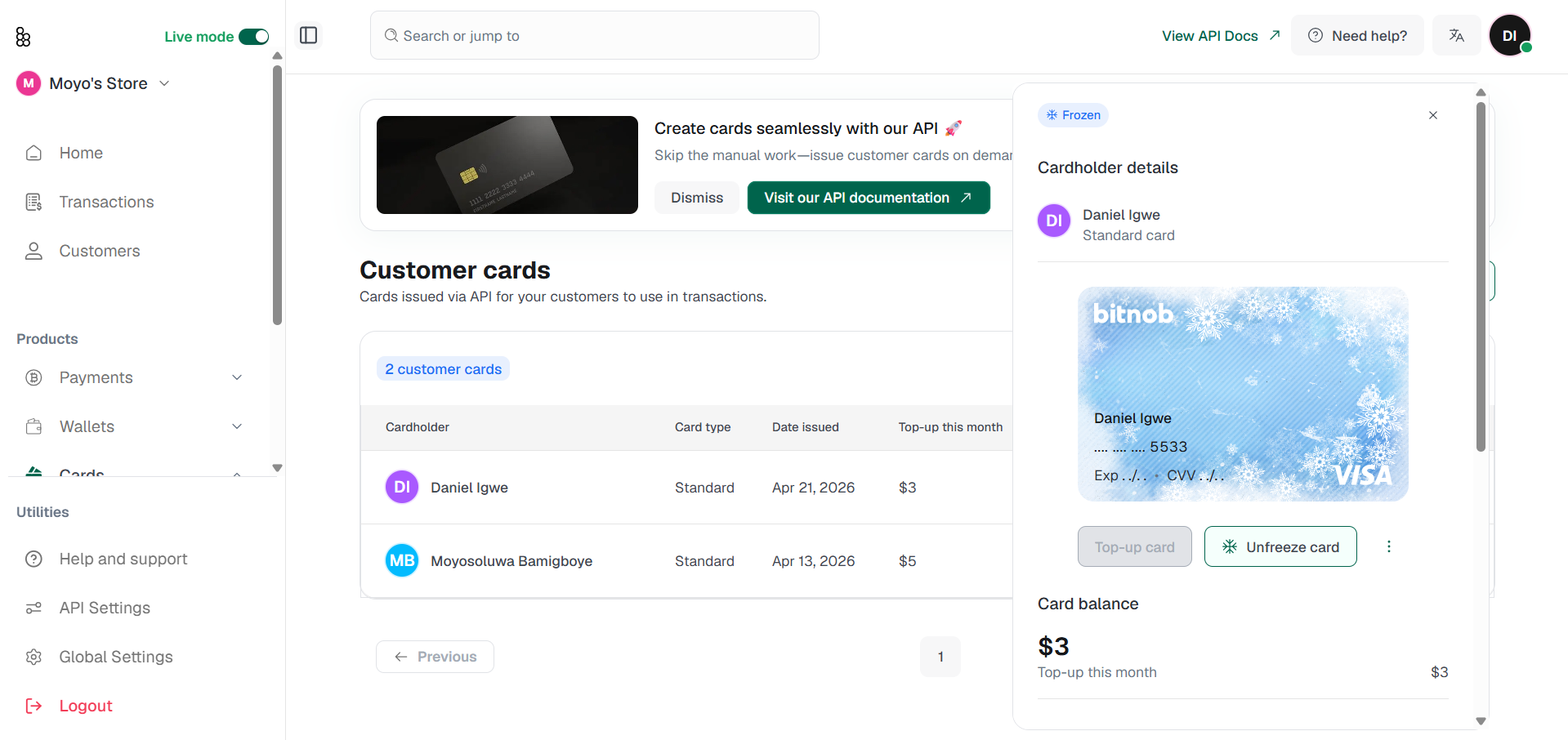
Freeze: temporarily suspends the card. To freeze, click the three-dot menu next to the card and select Freeze card. You will be asked to select a reason: Fraudulent activity, No longer in use, or Other. While frozen, all new transactions on the card will be declined. The card can be unfrozen at any time at no cost. If you need to permanently close the card instead, a Terminate card shortcut is available within the freeze prompt.
Viewing card details
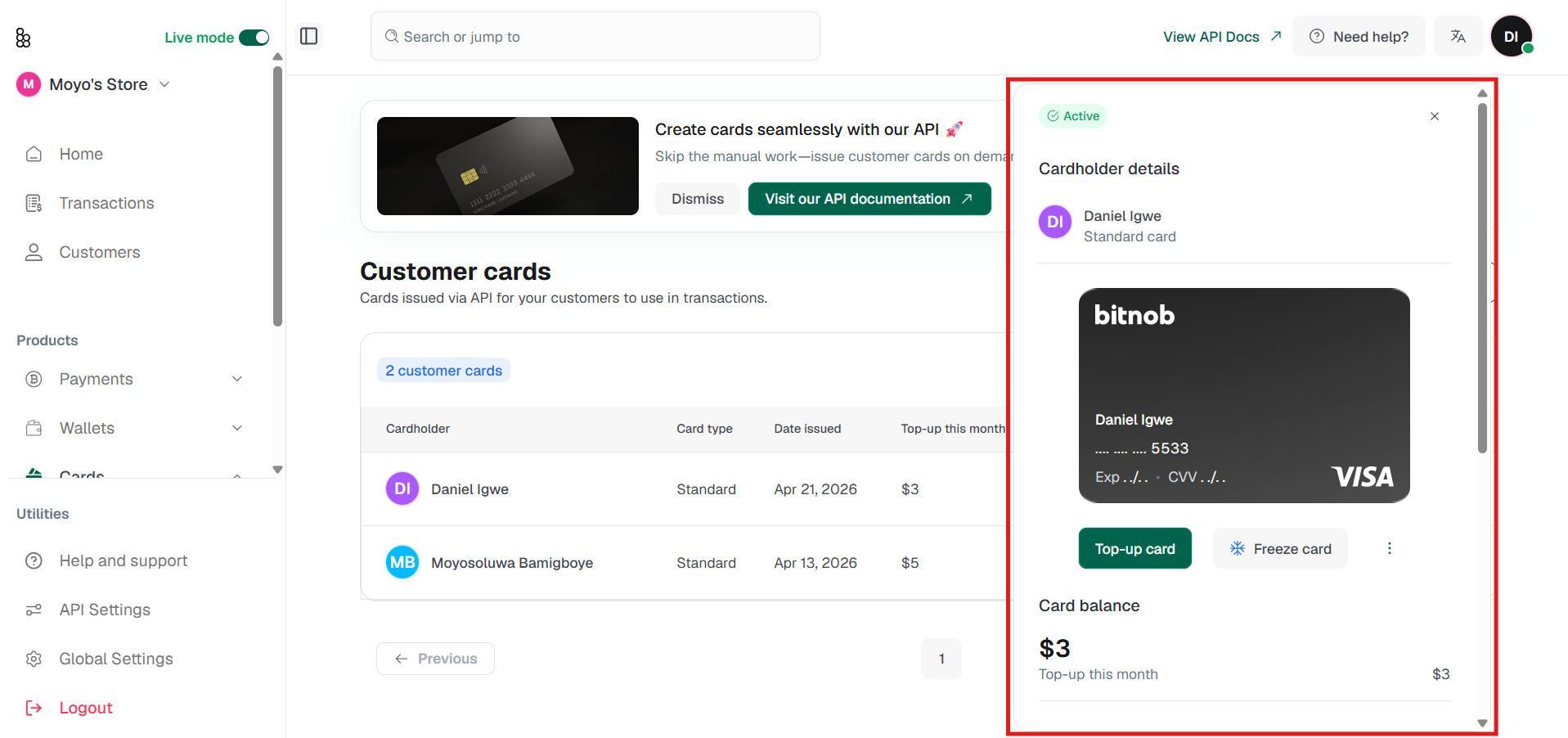
Click any card row to open the detail panel on the right, displaying the cardholder name, type, balance, monthly top-up and spend, spending limit, available amount, card reference, issue date, and billing address. Click the card image to reveal the full card number, expiry date, and CVV. To hide the details, click the hide icon in the top right of the card image.
Topping up a card
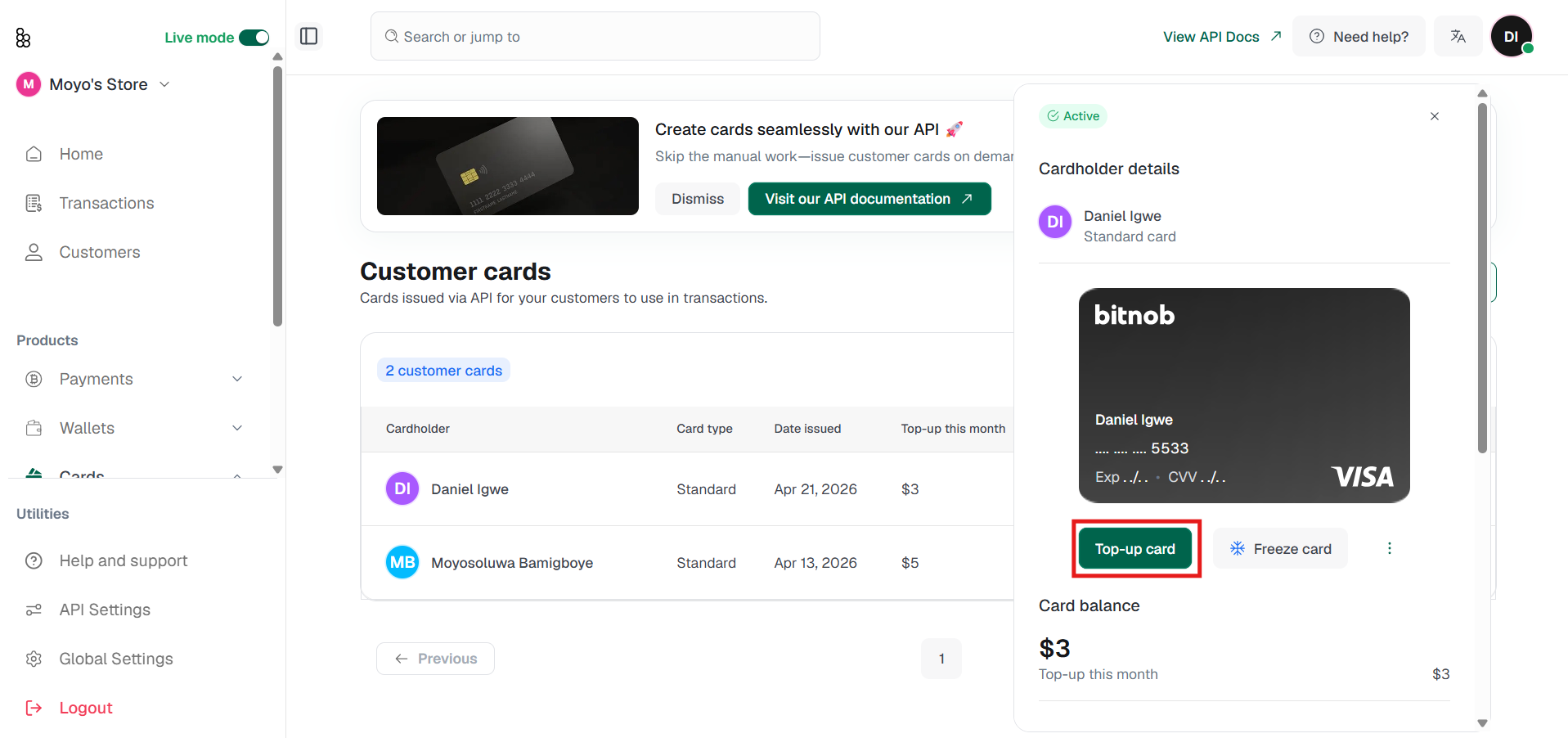
Click Top-up card from the card detail panel or from the three-dot menu next to the card. Select the wallet you want to fund from, enter an amount or choose a preset, and confirm. The maximum top-up per transaction is $2,500.
Unfreeze
This Function reinstates the card to full functionality
Terminate
This function permanently closes the card. Any remaining balance is returned to your wallet.
Personalise: updates the card name, colour, and description. Useful for keeping a growing card list organised.